


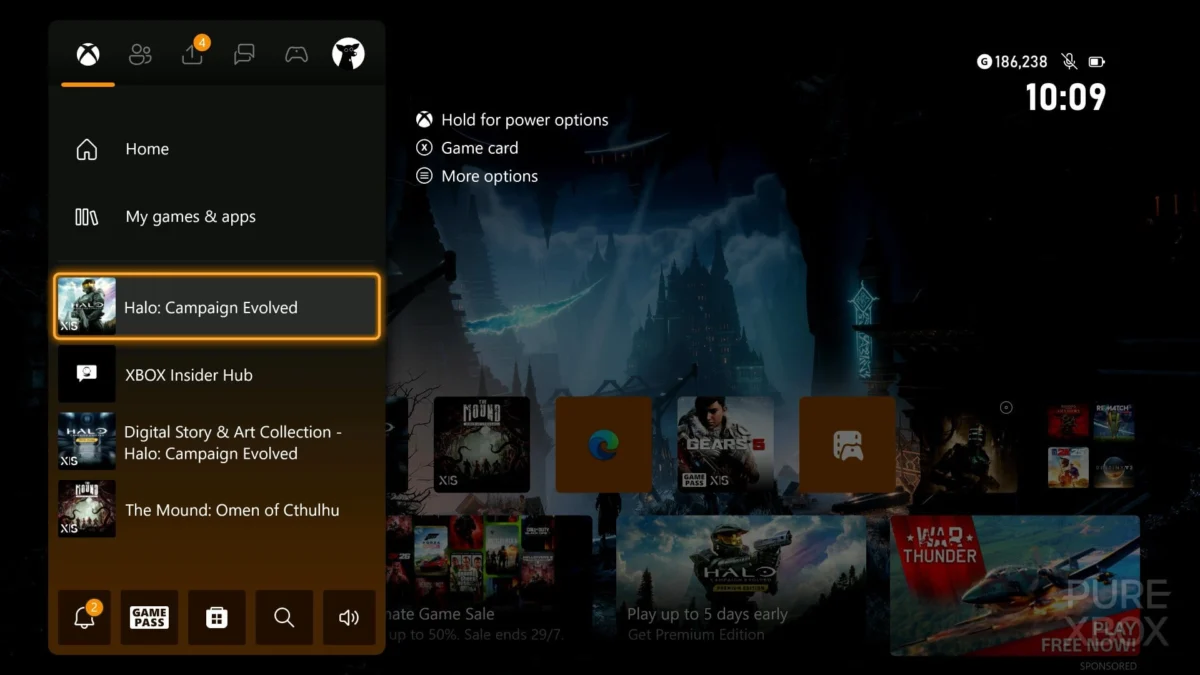
Microsoft has officially rolled out a comprehensive update to its Xbox console ecosystem, introducing twelve new features previously available only to participants in the Xbox Insider program. This significant update, now universally accessible to all Xbox console users, focuses on elevating personalization, streamlining user interfaces, and enhancing social interaction, reflecting Microsoft’s ongoing commitment to refining the player experience. The changes encompass a wide array of improvements, from expanded gamertag options and revitalized retro achievement art to more intuitive navigation and robust offline customization capabilities.
The rollout marks a pivotal moment for Xbox users, bringing a host of quality-of-life improvements that address long-standing community requests and introduce modern conveniences. Many of these features have undergone rigorous testing within the Xbox Insider program, where dedicated users provide feedback to help shape the final product. This phased approach, from insider testing to public release, underscores Microsoft’s iterative development philosophy, ensuring stability and relevance for its global player base. The enhancements are designed to make the Xbox dashboard more personal, the gaming experience more seamless, and the social aspects of the platform more engaging.
Expanded Identity: The Evolution of Xbox Gamertags
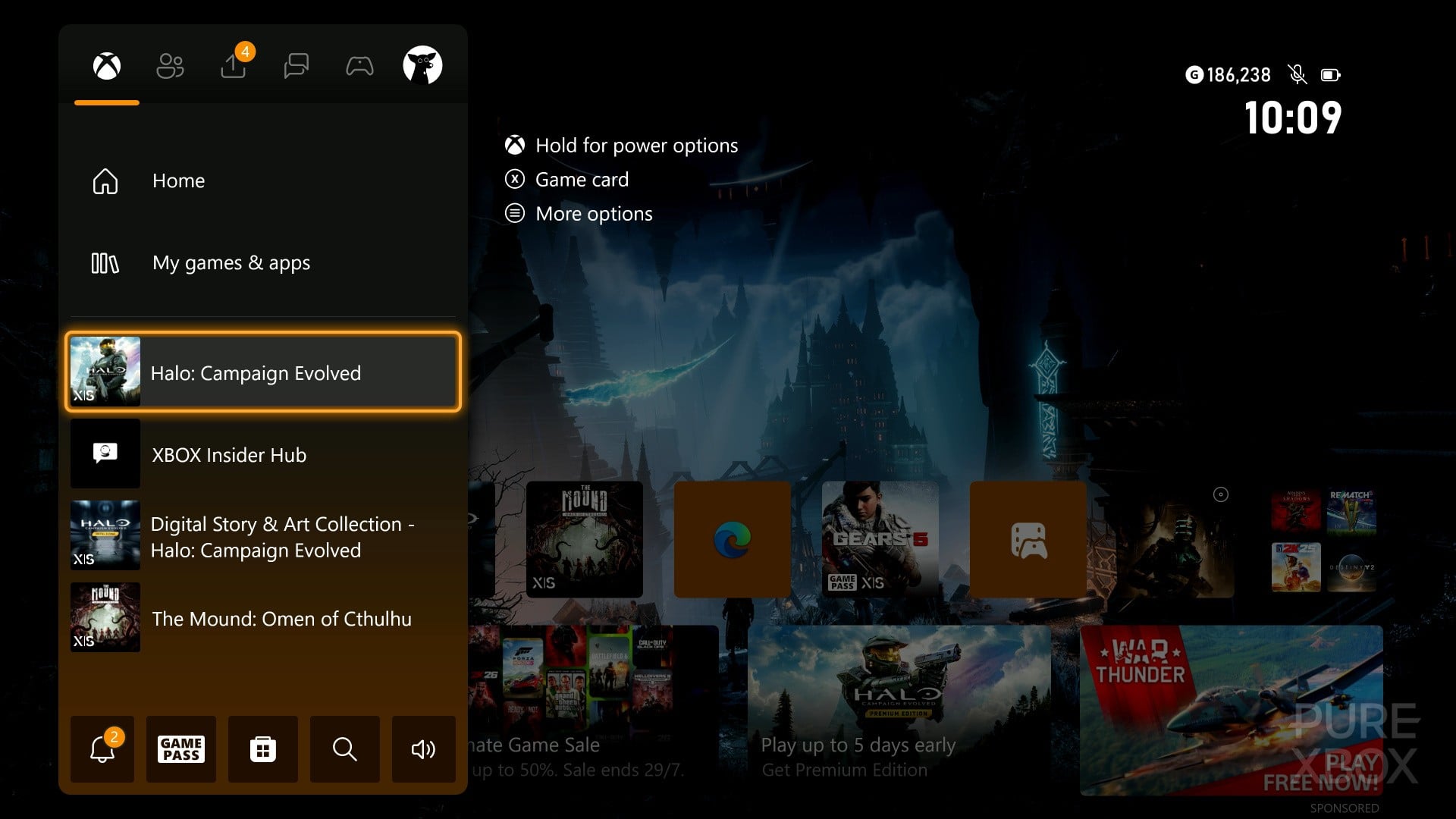
One of the most anticipated features in this update is the expansion of Xbox gamertags, allowing players to craft unique identifiers up to 15 characters long. This represents a notable increase from the previous 12-character limit, offering greater flexibility and creative scope for players to express their individuality within the Xbox community. For years, the 12-character constraint, coupled with the system of unique suffixes for non-Latin characters or non-unique names, often led to players feeling limited in their choice of online identity. The extended character allowance directly addresses widespread player feedback, providing more room for memorable, personal, and distinctive gamertags.
The original gamertag system, while functional, often forced users to resort to less ideal names or numerical suffixes when their preferred handle was taken. With the new 15-character limit, players now have an enhanced opportunity to secure a gamertag that truly resonates with their gaming persona or personal brand. This update specifically applies to gamertags that are unique and available; those that are not unique or contain non-Latin characters will continue to support up to 12 characters, often accompanied by a numerical suffix to maintain uniqueness across the network. This move acknowledges the global diversity of the Xbox player base and seeks to provide more equitable and expressive options for all.
Immersive Libraries and Visual Customization
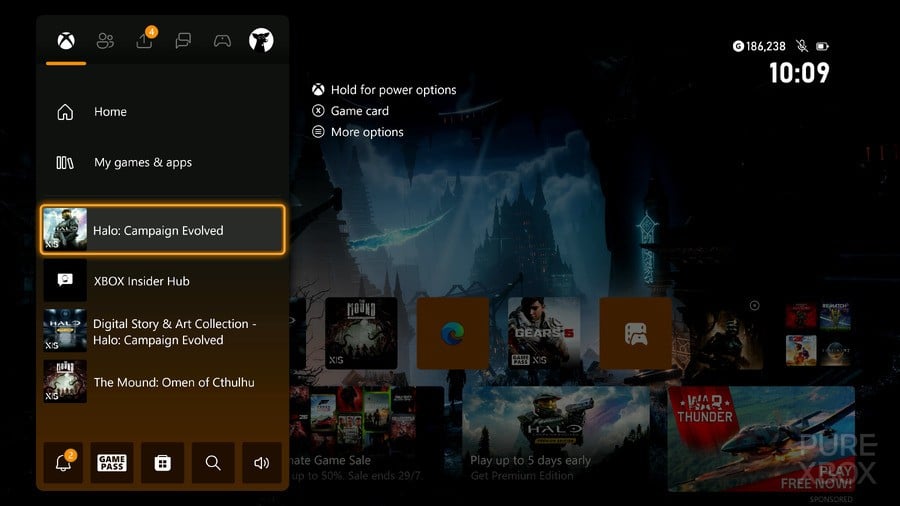
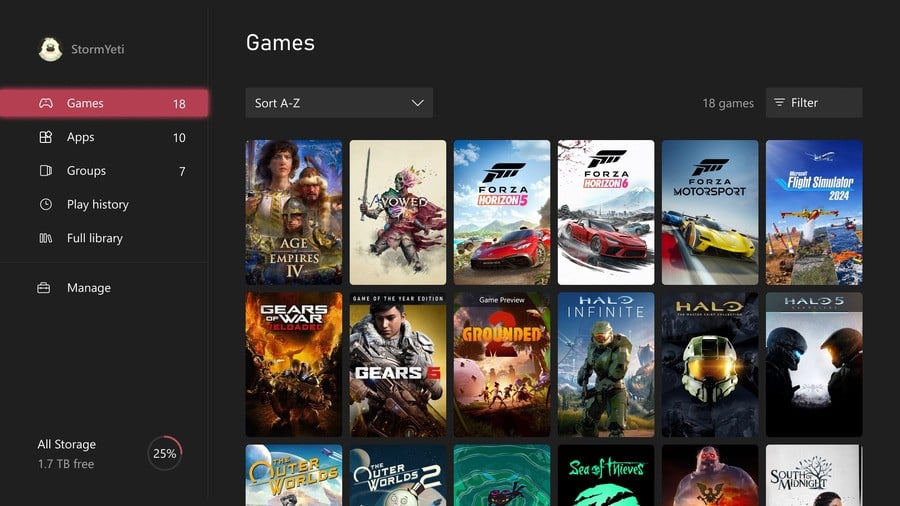
The update also introduces significant enhancements to how games are displayed within the user’s library, offering a "new way to display your Xbox games." Players can now opt for a rich poster-style artwork layout, transforming their game collection into a more visually appealing and immersive experience. This aesthetic overhaul moves beyond the traditional box art display, allowing for a more cinematic and curated view of one’s digital library. The option to toggle between different library box art layouts can be found under My games & apps > Manage > Settings > Customise games & apps > Choose a tile style for My games & apps. This level of granular control empowers users to tailor their console’s interface to their personal preferences, whether they favor a clean, minimalist look or a vibrant, art-centric display.
Complementing this visual upgrade is the ability to remove badges from game box art. These badges, which typically indicate game versions, subscription status (e.g., Xbox Game Pass), or other specific attributes, can sometimes clutter the visual presentation. By providing the option to enable or disable these badges, Xbox is putting more control in the hands of the player, allowing for a cleaner and more streamlined library interface. This customization can be managed via My games & apps > Manage > Settings > Customise games & apps > Choose which icons will appear on game tiles in My games & apps and recently played lists. These changes reflect a broader trend in modern user interface design, prioritizing personalization and visual fidelity to enhance the overall user experience.
Deeper Personalization: Colors and Themes
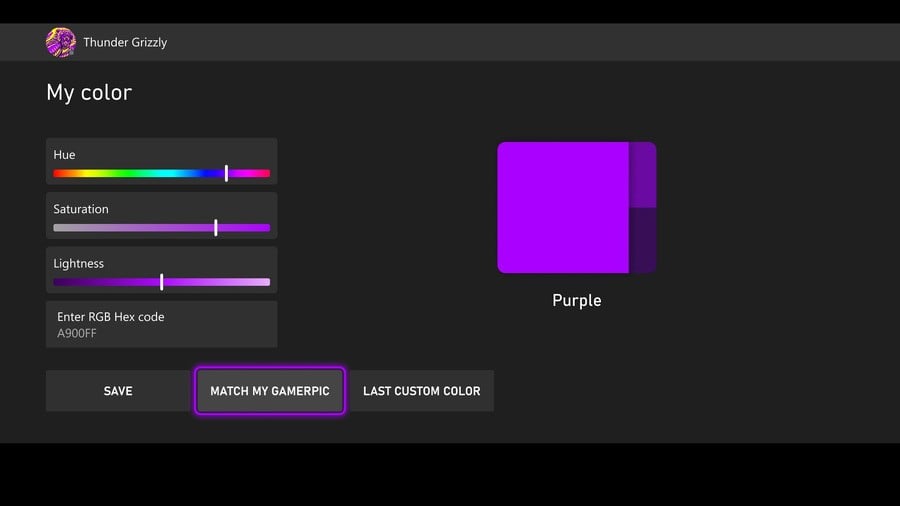
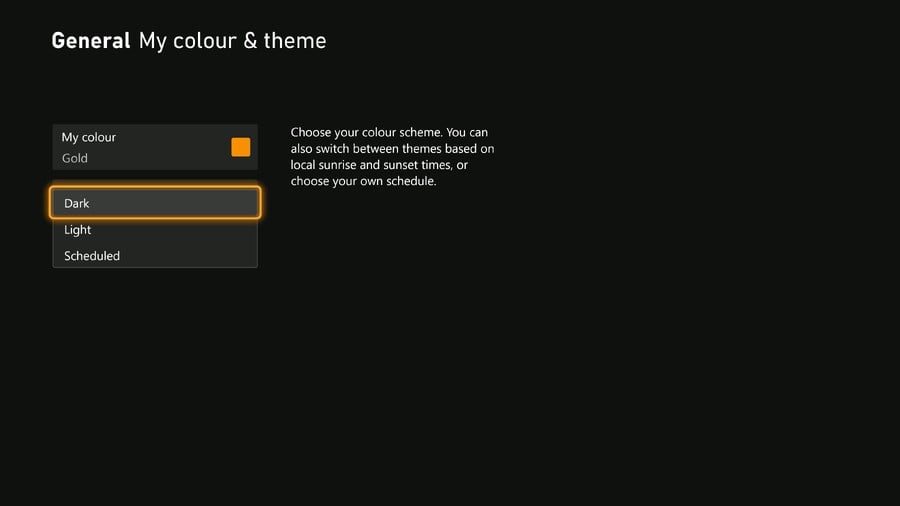
Beyond game displays, the update delves deeper into console personalization with "new colour options for customisation." Users can now achieve precise color selection for their console’s theme by entering a specific hex color code. This feature caters to users who desire exact color matching or wish to replicate specific shades for a perfectly harmonized interface. For those seeking a more integrated look, a novel "match my gamerpic" option has been introduced, allowing the console to automatically pull a dominant color directly from the user’s gamer picture. This clever integration creates a seamless visual identity, extending the user’s chosen avatar into the very fabric of the console’s aesthetic.
Once a color is selected, whether via hex code or gamerpic matching, players can preview how it will appear across their entire console interface before committing to the change. This iterative preview function ensures that users can confidently finalize their desired look, avoiding the need for multiple adjustments. The expanded color customization options are accessible through Settings > General > Personalisation > My colour & theme > My colour, offering a centralized hub for aesthetic control. This emphasis on granular control and visual integration underscores Xbox’s commitment to empowering players to truly make their console their own.
Enhanced Information and Connectivity
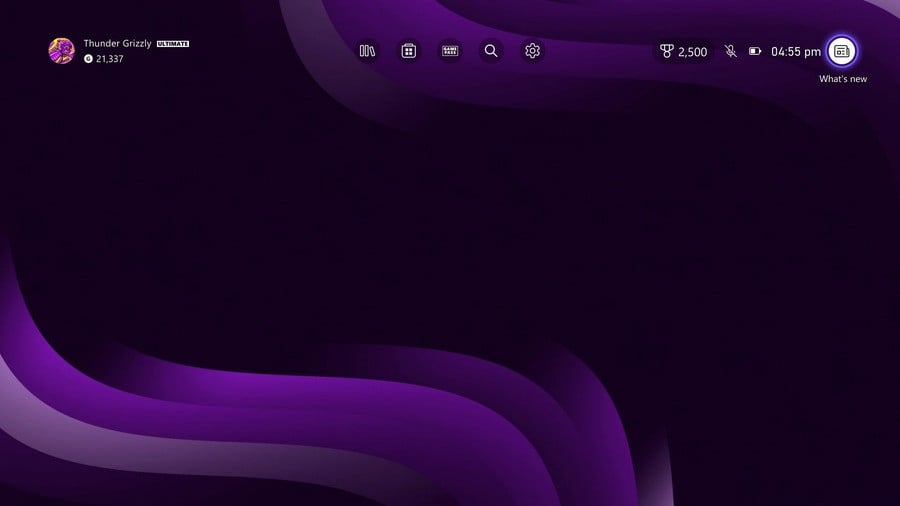
The update also brings improvements to how users stay informed and connected. Following a console update, "console update release notes – new & improved" are now readily accessible directly from the Home screen’s top navigation. This direct access allows players to quickly review new features, changes, and significant bug fixes without having to navigate through multiple menus or external websites. The release notes themselves have been enhanced, offering more detailed information, which fosters greater transparency and helps users understand the continuous evolution of their console’s software.
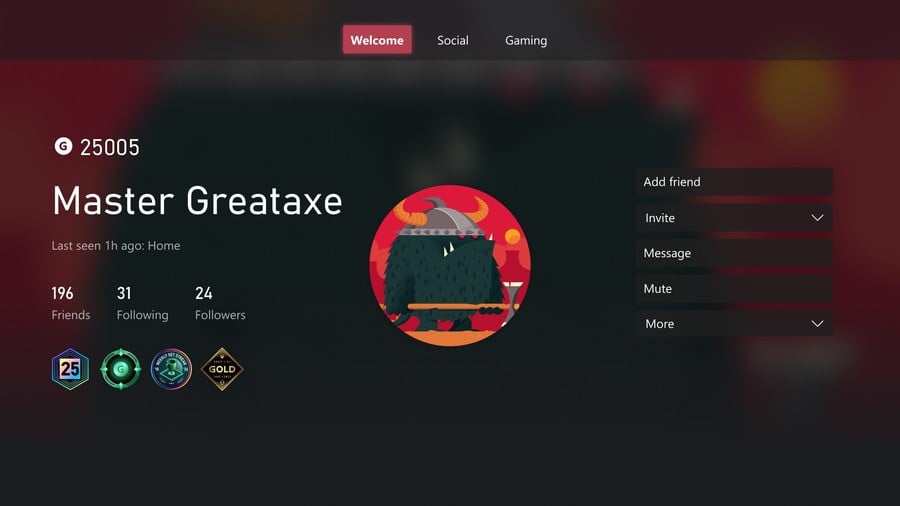
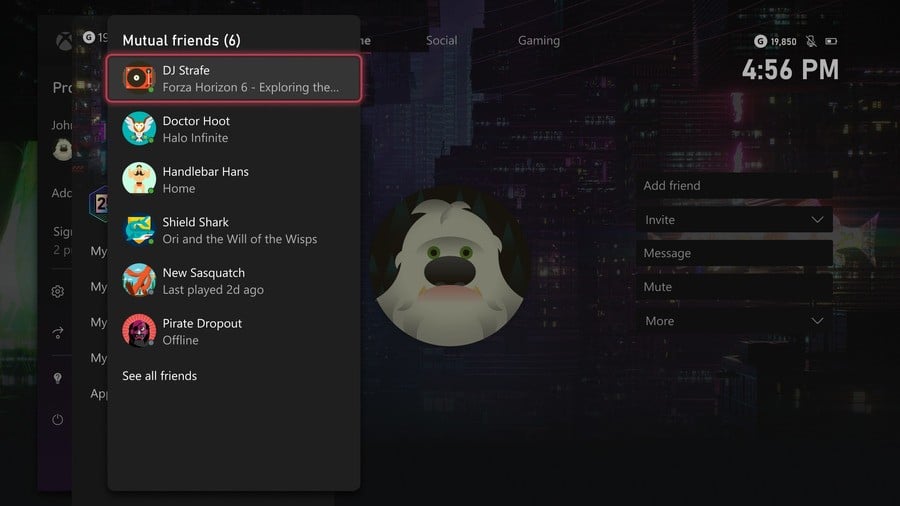
Social connectivity receives a boost with the "ability to find mutual friends more easily." When viewing another player’s profile, users can now see their mutual friends on Xbox, provided the player’s privacy settings allow it. This feature is particularly useful for building connections, as it displays the number of shared friends even with players who are not yet on one’s friend list. This transparency simplifies the process of discovering new people and strengthening community ties, whether encountered through multiplayer sessions or other interactions within the Xbox ecosystem. It leverages existing social graphs to facilitate new connections, enriching the multiplayer experience and fostering a more interconnected community.
Offline Autonomy and Streamlined Shopping
A significant stride towards user autonomy is the introduction of "console customisation, even when offline." Previously, many personalization options required an active internet connection. With this update, users can now customize various aspects of their console’s appearance, including dark and light themes, custom backgrounds, solid color backgrounds, a limited selection of dynamic backgrounds, and the ability to customize dynamic background colors, all without needing to be online. This feature greatly benefits players with unreliable internet access or those who simply prefer to manage their console settings offline, ensuring a consistent and personalized experience regardless of connectivity status.
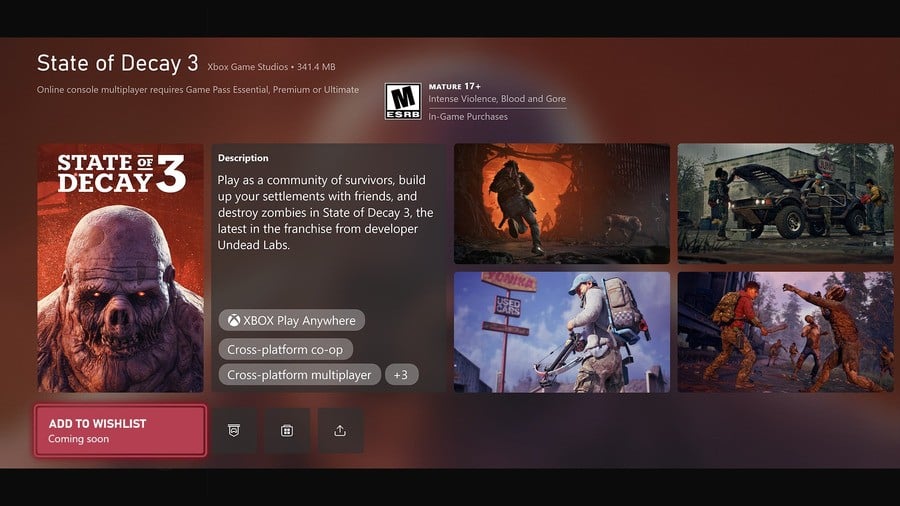
For game enthusiasts, the shopping experience has been streamlined with the "add to wishlist directly from game cards" feature. Players can now add upcoming games to their Wishlist directly from their respective game cards, even before the titles are available for purchase. This eliminates the need for repeated searches and provides a convenient way to keep track of highly anticipated games. This feature not only enhances user convenience but also serves as a valuable tool for tracking consumer interest, potentially informing future marketing and sales strategies for game publishers.
Improved Accessory Management and User Interface Navigation
The Xbox Accessories app also receives a practical update: it "now shows your controller" with a visual representation. When a controller is connected, the app will display an image of the specific Xbox Wireless Controller, including standard, special edition, or Xbox Elite Wireless Controller Series 2 models. This visual confirmation is particularly helpful for users with multiple controllers or those who frequently remap buttons and adjust settings, ensuring they are customizing the correct device. Most controllers released since November 2020 are supported, adding a layer of visual clarity to peripheral management.
Navigating the console’s settings has been made more efficient with "easier access to Home, Games & Apps Settings." The personalization settings for Home and Games & Apps have been reorganized into distinct sections within the main Settings menu. To further enhance accessibility, entry points to these pages have been added from all context menus in both Home and My games & apps. This structural reorganization, accessible via Settings > General > Personalisation, aims to reduce the number of steps required to access frequently used customization options, thereby improving overall user experience and interface fluidity.
Cloud Gaming Enhancements and Network Transparency
For Xbox Game Pass Ultimate subscribers leveraging cloud gaming, the experience has been refined. When launching cloud gaming sessions, players will now see the game art during loading screens. Furthermore, upon the streaming session’s commencement, users will be taken directly into the game, bypassing the generic Xbox logo screen that previously appeared before game loading. While the initial description in the source implies a "prompt to play via the cloud when games need updates" (based on the heading), the detailed explanation primarily focuses on these loading screen improvements. The implication is a more immediate and visually consistent transition into cloud-streamed games, reducing friction and enhancing immersion for players utilizing this growing service.
Finally, user awareness regarding network status has been significantly improved. An "indicator when Xbox Network is suffering an issue" will now appear on the top navigation bar of the Home screen if a confirmed Xbox service issue is detected. This proactive notification system means players no longer need to leave their console to check external websites or social media channels for service status updates. From the indicator, users can directly access a status page providing real-time information on affected services and estimated resolution times. This commitment to transparency during service disruptions aims to minimize user frustration and keep the community informed, reinforcing trust in the platform’s reliability.
A Nod to Nostalgia: Crisp Xbox 360 Achievement Art
In a delightful nod to Xbox’s rich history and its robust backward compatibility program, the update also brings "crisp Xbox 360 achievement art." Achievements earned on the Xbox 360 will now be rendered with improved visual fidelity, displaying with crisp pixel blocks when upscaled on modern high-resolution displays. This enhancement significantly improves the presentation of these classic achievement icons, allowing players to view their past accomplishments with greater clarity and appreciation. For many long-time Xbox fans, this small but impactful change preserves the nostalgic charm of the Xbox 360 era while seamlessly integrating it into the contemporary Xbox experience, highlighting Microsoft’s dedication to its legacy content.
Broader Implications and Future Outlook
The comprehensive nature of this Xbox console update underscores Microsoft’s continuous investment in its gaming ecosystem. By addressing both fundamental user experience elements and highly requested community features, Xbox is solidifying its position as a player-centric platform. The emphasis on personalization, from gamertags to console themes, empowers users to create a more bespoke gaming environment. The improvements to social features, such as mutual friend discovery, foster a more connected and vibrant community. Meanwhile, enhancements to accessibility (offline customization), information dissemination (release notes, network status), and the overall user interface signal a commitment to a seamless and intuitive experience.
These updates are not merely cosmetic; they represent a strategic move to enhance player retention and engagement. In an increasingly competitive gaming landscape, providing a polished, customizable, and user-friendly platform is paramount. The feedback loop from the Xbox Insider program demonstrates a responsive development cycle, ensuring that updates are genuinely valuable to the player base. As cloud gaming continues to evolve and the Xbox ecosystem expands, these foundational improvements lay the groundwork for a more robust and adaptable platform, promising an even more refined experience for millions of players worldwide.