


Xbox has commenced the rollout of five significant new console features to select members of its Xbox Insider program, beginning August 19th, 2026. These updates are initially available to participants in the Alpha and Alpha-Skip-Ahead rings, marking a crucial phase in their development before a broader public release anticipated in the coming weeks and months. The enhancements aim to deliver greater user control over the dashboard, improved storage management capabilities, enriched profile customization and recognition, and streamlined digital storefront interactions. This iterative approach, leveraging the extensive feedback mechanisms of the Insider program, underscores Microsoft’s commitment to continuously refining the Xbox user experience based on community input and evolving technological landscapes.
The Strategic Role of the Xbox Insider Program
The Xbox Insider program serves as a cornerstone of Microsoft’s development strategy for its gaming ecosystem. Launched to empower dedicated Xbox users to test upcoming features, provide direct feedback, and help shape the future of the platform, the program is divided into several "rings" – Alpha Skip-Ahead, Alpha, Beta, Delta, and Omega – each representing different levels of access to early builds and varying stability. Alpha Skip-Ahead members typically receive the earliest and most experimental builds, often weeks or months ahead of general availability, while Omega members experience builds closer to public release. This tiered system allows Microsoft to gather targeted feedback, identify bugs, and iterate on designs with a controlled group before a widespread deployment. The current rollout to Alpha and Alpha-Skip-Ahead rings signifies that these features are relatively mature but still require fine-tuning from the most engaged and technically proficient segment of the Insider community. The program boasts millions of participants globally, forming a vital feedback loop that directly influences the evolution of the Xbox console and its services. This structured testing environment is critical for ensuring that new features are robust, intuitive, and genuinely beneficial to the diverse Xbox player base.
Enhanced Dashboard Customization and Immersive Backgrounds
The first major update focuses on significantly improving the user experience on the Xbox dashboard, offering new levels of personalization and visual immersion. Historically, console dashboards have evolved from static menus to dynamic, content-rich interfaces. However, the balance between information density and aesthetic appeal has always been a challenge. With this update, Xbox Insiders can now exercise greater control over the "Recent Games & Apps" list on the Home screen. Users gain the ability to remove any item from this list, including the "Play History" tile, utilizing the Menu button on their controller. This seemingly minor change addresses a long-standing request from users who desire a cleaner, more personalized dashboard free from clutter or unwanted entries. The ability to curate this section means players can prioritize the games and applications they most frequently interact with, or simply maintain a minimalist aesthetic.
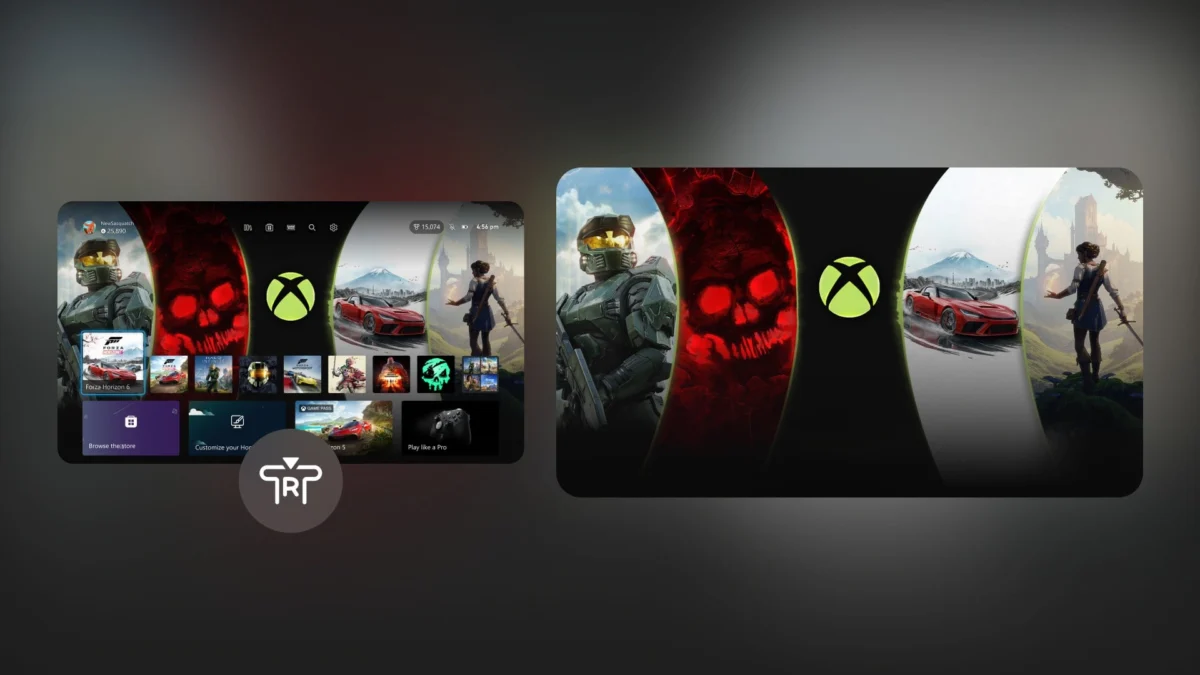
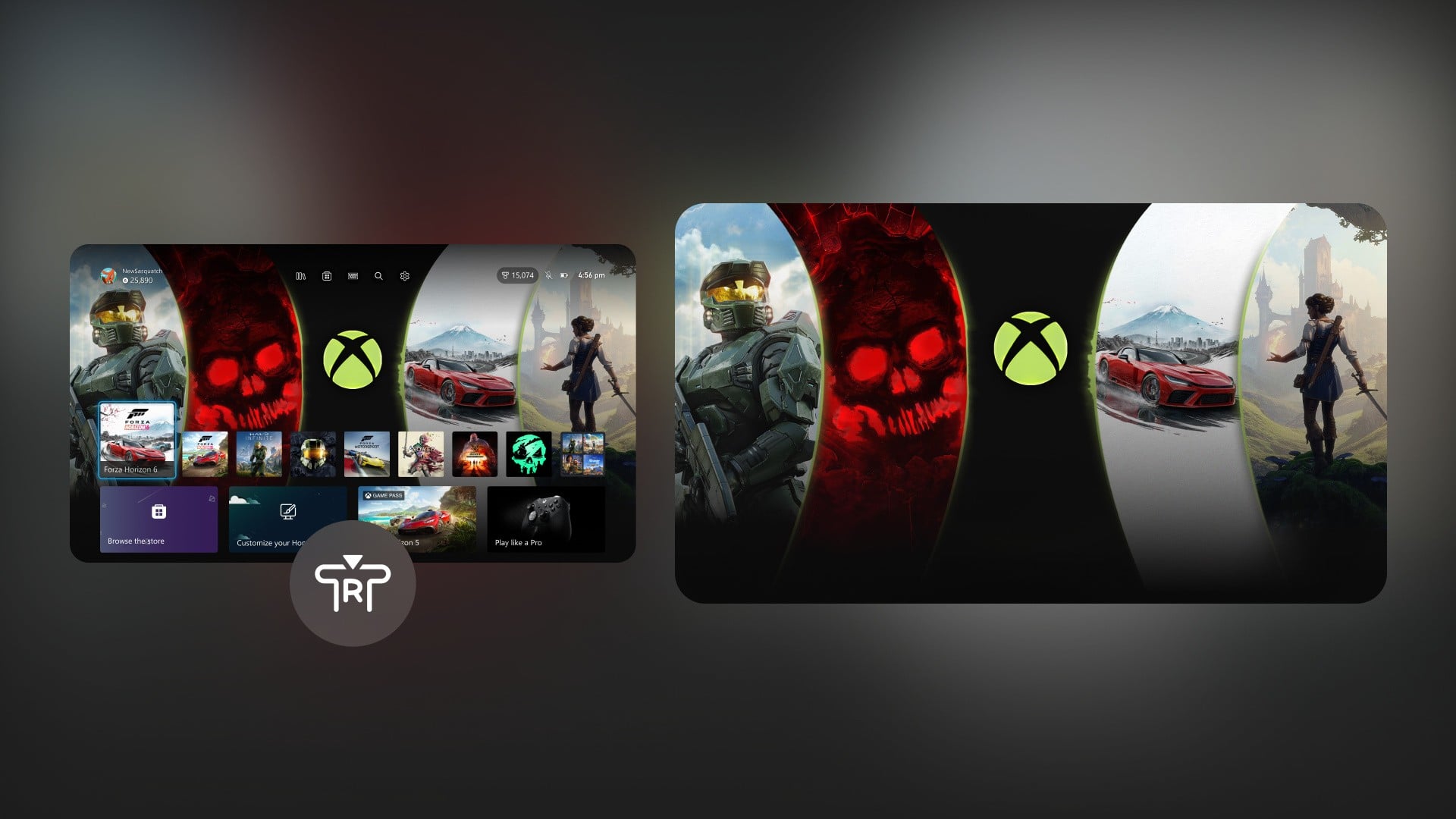
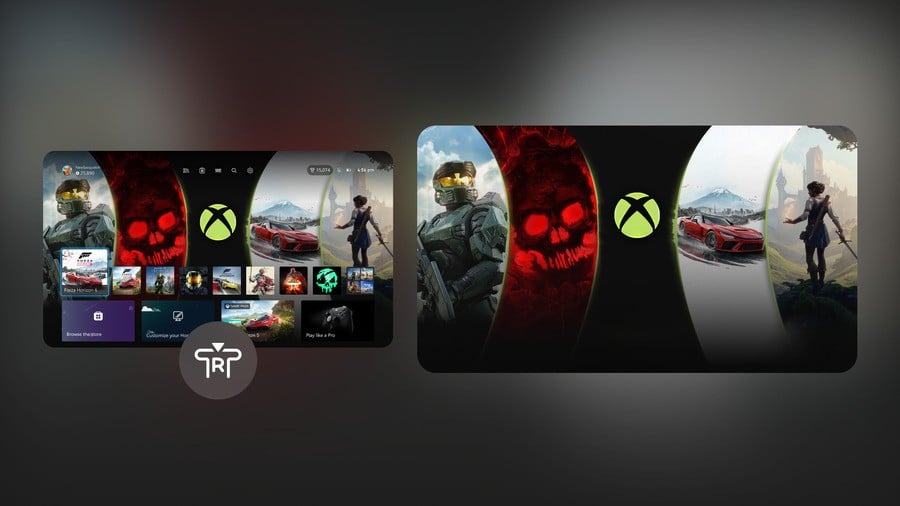
Complementing this customization, Xbox Insiders are also being introduced to a new "immersive background mode." This feature allows a user’s dynamic or custom background to take center stage by enabling the fading away of the user interface (UI). By simply pressing the right thumbstick button from anywhere on the Home screen, the UI elements recede, allowing the chosen background to be displayed without distractions. This innovation caters to users who invest time in selecting personalized backgrounds, whether they are dynamic themes, custom images, or screenshots from their favorite games. It not only enhances the visual appeal of the console’s interface but also provides a moment of visual tranquility, allowing players to appreciate their customized environment. The trend in modern UI/UX design emphasizes clean interfaces and user control, and these dashboard updates align Xbox with these contemporary principles, fostering a more engaging and aesthetically pleasing user experience from the moment the console is powered on.
Granular Control Over Local Game Saves
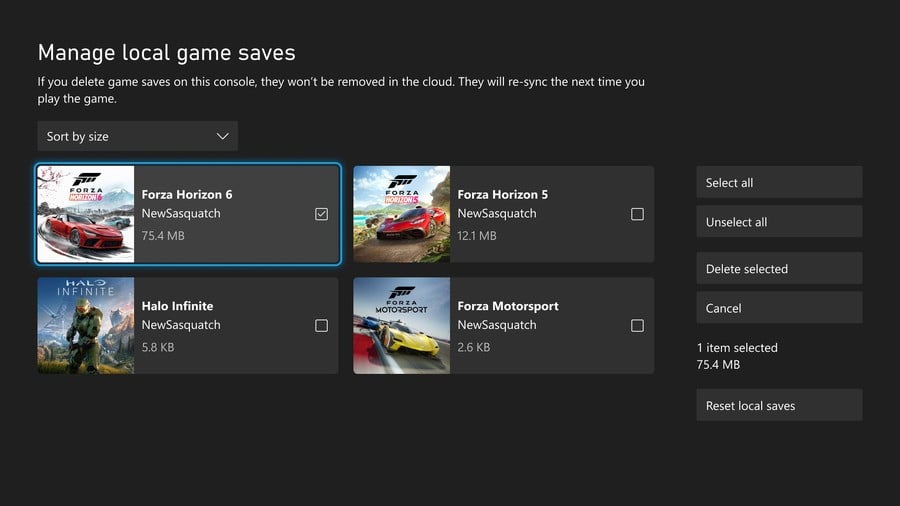
A significant quality-of-life improvement arrives with the second feature: enhanced management of local game saves. As game file sizes continue to grow exponentially, and many players juggle multiple titles across various genres, efficient storage management has become a critical concern. Previously, managing local game save data could be somewhat opaque, often requiring users to delete entire game installations to clear associated save files, even if only a fraction of the data was problematic or unused.
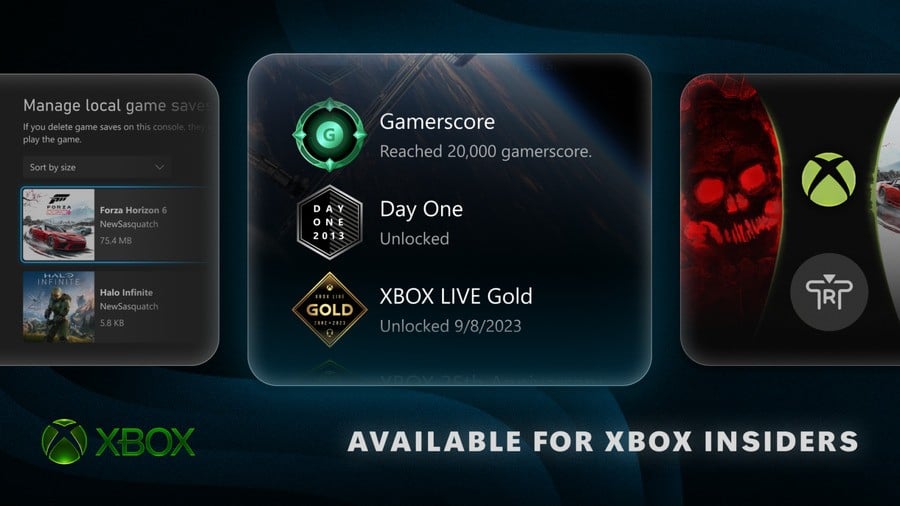
The new feature grants users the ability to view, sort, and directly delete local game saves that are not currently in use. This provides unprecedented visibility and control over a console’s storage. Players can now access a dedicated interface to inspect individual save files, understand their size, and determine whether they are still relevant. This includes the option to delete a single large save file from a game that has been completed or uninstalled, or to clear all unused local saves in a single action. This distinction between local and cloud saves is important; while Xbox’s cloud save system automatically backs up game progress, local saves can accumulate, especially for games that are frequently installed and uninstalled, or for players who share a console and create multiple profiles. By empowering users to precisely manage these local files, Xbox addresses a practical pain point, freeing up valuable internal storage space and improving overall console performance, particularly for players who frequently download new games or struggle with limited storage capacity on their base console. This update reflects a direct response to community feedback regarding storage efficiency and user autonomy.
Detailed Information for Xbox Profile Badges
The third feature enriches the social and recognition aspects of the Xbox profile system by providing more detailed information about profile badges. In the digital gaming landscape, achievements, milestones, and unique badges serve as important markers of a player’s journey, skill, and dedication. These digital accolades contribute to a player’s online identity and foster a sense of accomplishment within the gaming community.
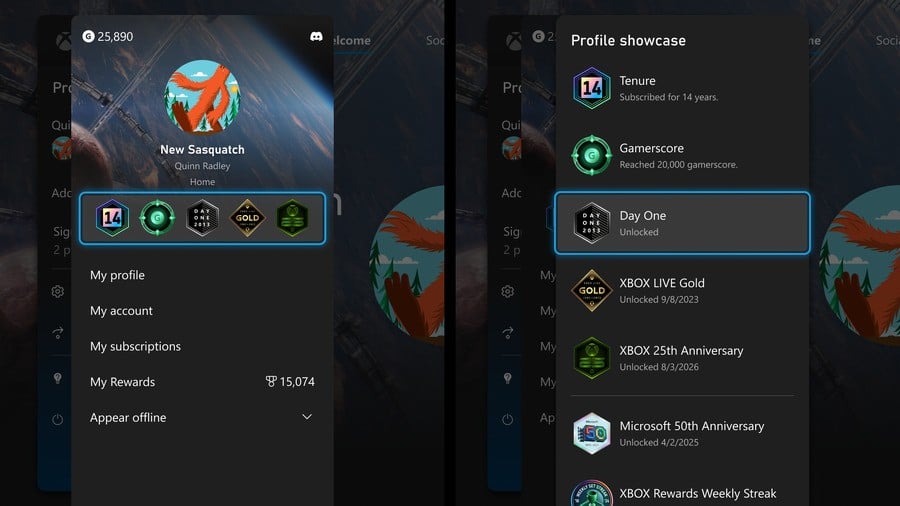
With this update, users can now view comprehensive information for every badge displayed on an Xbox profile. This includes high-resolution artwork for each badge, offering a clearer and more aesthetically pleasing representation of the achievement. Crucially, the system will also display detailed information about when and how each badge was unlocked. This functionality allows players to revisit their own collection with a renewed sense of nostalgia and pride, recalling the specific challenges or events that led to acquiring each badge. Furthermore, when exploring another player’s profile, it becomes significantly easier to understand the story behind their collection of badges. This transparency fosters greater appreciation for fellow gamers’ accomplishments and provides context for their gaming history. By making these digital accolades more informative and visually appealing, Xbox enhances the social fabric of its platform, encouraging players to celebrate their achievements and connect through shared gaming experiences. This move aligns with broader trends in digital platforms to deepen user engagement through personalized recognition and storytelling.
A Commemorative Badge for Xbox One Day One Launch Players
Building on the theme of profile recognition, the fourth new feature introduces a special commemorative badge specifically for players who were among the earliest adopters of the Xbox One console. For many gamers, being a "Day One" purchaser of a new console generation represents a significant commitment and a deep connection to the brand. These early adopters often play a crucial role in the initial success and community building around a new platform.
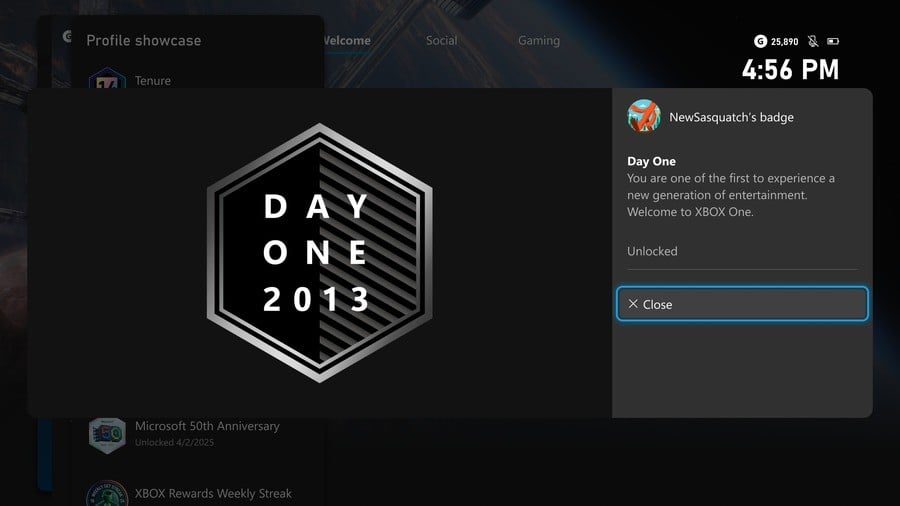
Starting with this update, players who unlocked the "Day One" achievement for purchasing and setting up an Xbox One console at its launch in 2013 will receive a new, distinctive profile badge. This "Day One" badge serves as a direct recognition of their loyalty and early support for the Xbox ecosystem. The Xbox One’s launch was a pivotal moment in the console wars, and those who embraced it from the outset are being honored for their foundational role. This retroactive recognition is a powerful gesture from Microsoft, acknowledging the long-term dedication of its player base. Such initiatives help foster brand loyalty and strengthen the community’s sense of belonging. It transforms a historical event into a permanent, visible marker on a player’s profile, allowing them to proudly display their veteran status and share their journey with newer members of the Xbox community. This kind of recognition is invaluable for building a strong, appreciative relationship between a platform holder and its most dedicated users.
Automated Wishlist Management for Purchased Games
The final feature addresses a common pain point in digital storefronts: the manual management of wishlists. Wishlists are invaluable tools for gamers to track titles they are interested in, particularly during sales events or when new games are announced. However, once a game is purchased, it often remains on the wishlist, requiring manual removal, which can become tedious and lead to cluttered lists.
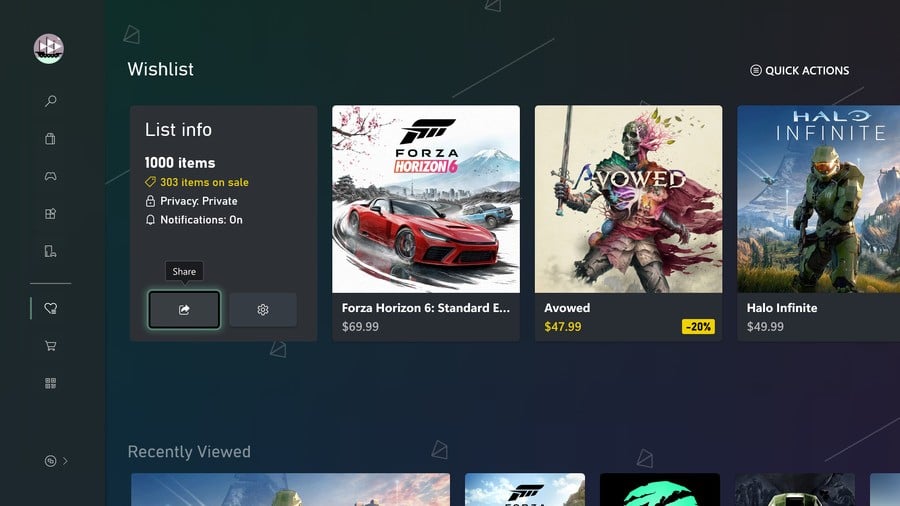
With this new update, Xbox is streamlining this process by automatically removing purchased games from a user’s wishlist. This simple yet effective quality-of-life improvement significantly enhances the user experience within the Xbox Store. Players will no longer need to manually sift through their wishlists to identify and delete games they already own. This automation reduces administrative overhead, allowing players to focus more on discovering new titles or tracking upcoming releases without the distraction of already-acquired games. It ensures that wishlists remain current, relevant, and effective tools for future purchasing decisions. This small but impactful change reflects a broader commitment from Xbox to refine the digital shopping experience, making it more intuitive, efficient, and user-friendly. By removing friction from the purchasing and library management process, Xbox aims to encourage more seamless engagement with its digital storefront and ultimately, more time spent playing games.
Broader Implications and Future Outlook
The rollout of these five new features to Xbox Insiders on August 19th, 2026, represents more than just a set of incremental updates; it signifies Microsoft’s ongoing dedication to a user-centric development philosophy and continuous platform improvement. Each feature, from granular dashboard customization and storage management to enhanced profile recognition and automated wishlist functionality, addresses specific user needs and contributes to a more personalized, efficient, and engaging Xbox experience.
The iterative development cycle, heavily reliant on the Xbox Insider program, allows for thorough testing and refinement, ensuring that these features are robust and well-received before their wider public release. This approach minimizes potential issues and maximizes the positive impact on the broader Xbox community. As these features transition from the Insider rings to general availability in the coming weeks and months, they are expected to significantly enhance how players interact with their consoles, manage their digital lives, and connect within the Xbox ecosystem. These updates collectively underscore Microsoft’s commitment to evolving the Xbox platform, not just through hardware innovations or game releases, but through consistent, meaningful software enhancements that directly benefit the player base. The gaming landscape is dynamic, and these targeted improvements demonstrate Xbox’s agility in responding to user feedback and maintaining its position as a leading gaming platform.