


Microsoft’s Xbox division has initiated a significant rollout of six new console features to select members of its Xbox Insider Program, commencing September 9th. These updates, initially available to Alpha and Alpha-Skip-Ahead rings, are poised to progressively reach the broader Xbox user base in the coming weeks and months. The enhancements span critical areas including system personalization, content discoverability, remote play capabilities, download management, and voice communication quality, underscoring Xbox’s continuous commitment to refining the player experience and adapting to evolving gaming trends.
The Xbox Insider Program serves as a crucial conduit for Microsoft to test new features and gather feedback from a dedicated community before wider deployment. Members are categorized into various "rings" – Alpha-Skip-Ahead, Alpha, Beta, Delta, and Omega – each offering earlier access to updates but with varying levels of stability. The current rollout to the Alpha and Alpha-Skip-Ahead rings signifies that these features are in an advanced testing phase, deemed relatively stable but still subject to refinement based on insider input. This iterative development process allows Xbox to identify and address potential issues, ensuring a smoother and more polished experience for the general public.
A Deep Dive into the Six Transformative Features
The six features represent a blend of aesthetic customization, practical utility, and technological advancements, all designed to make the Xbox ecosystem more user-friendly and immersive.
1. Customizing Your Xbox Startup Animation
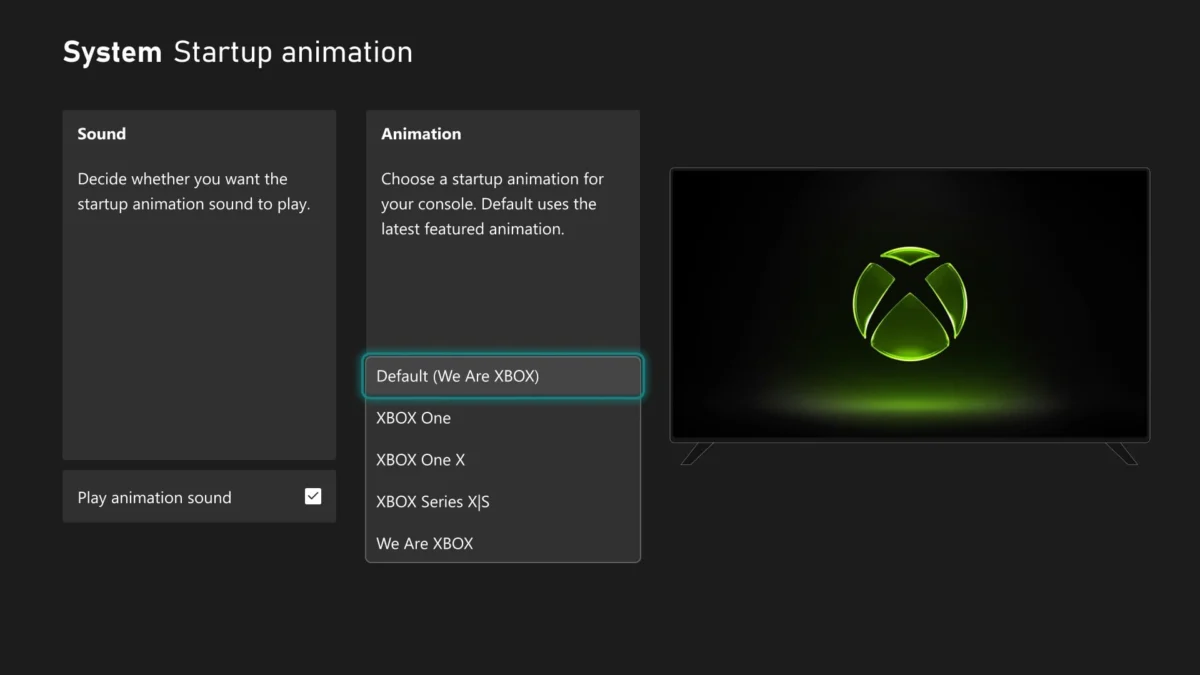
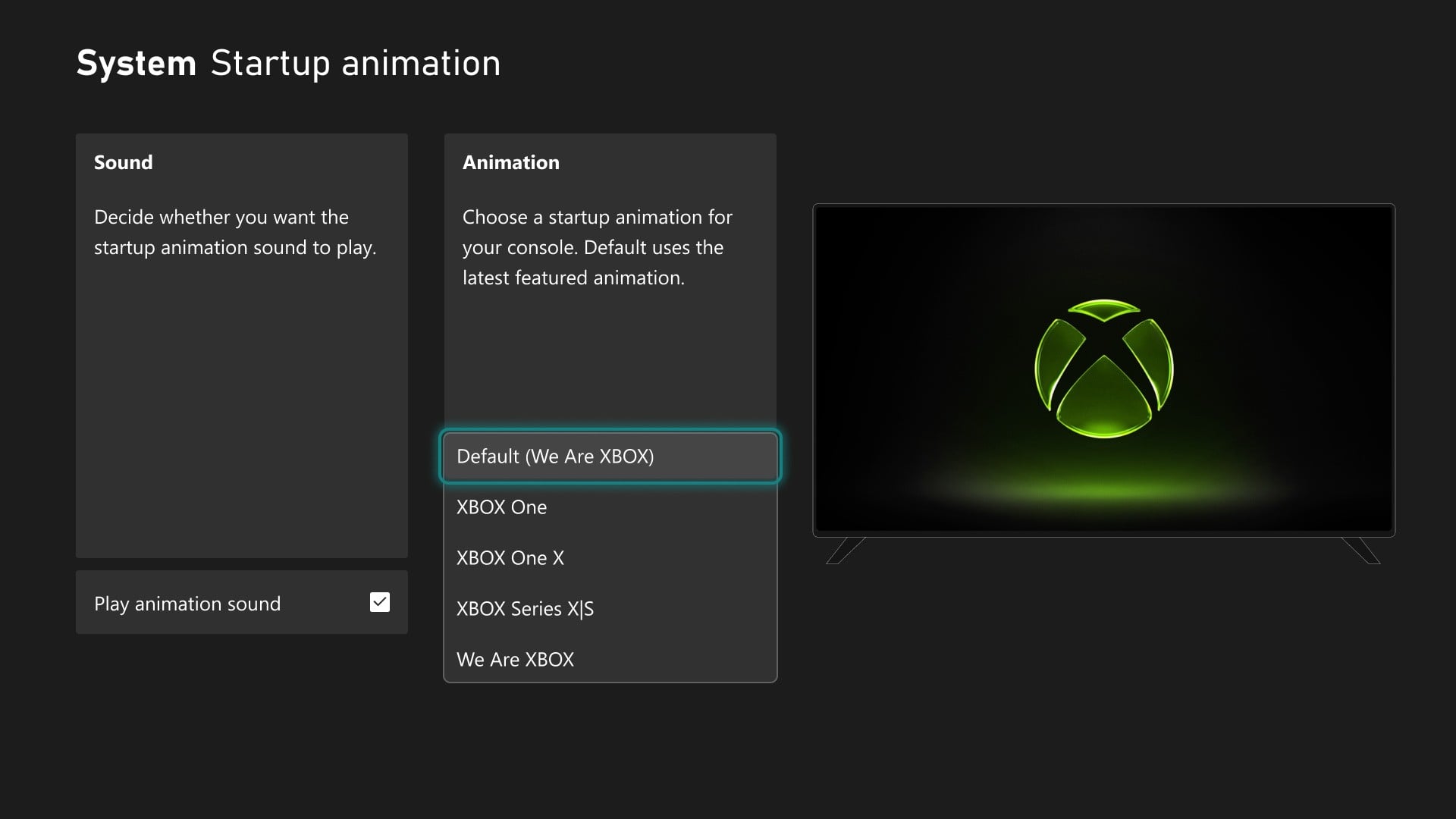
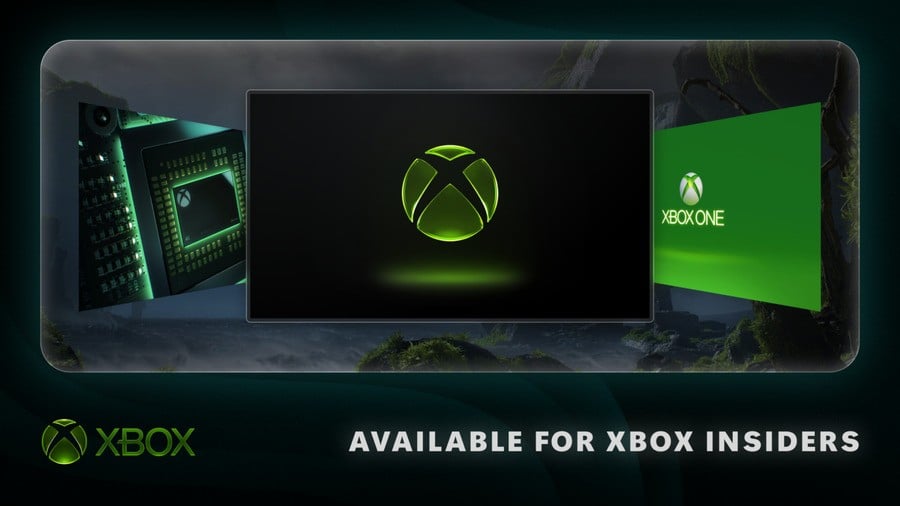
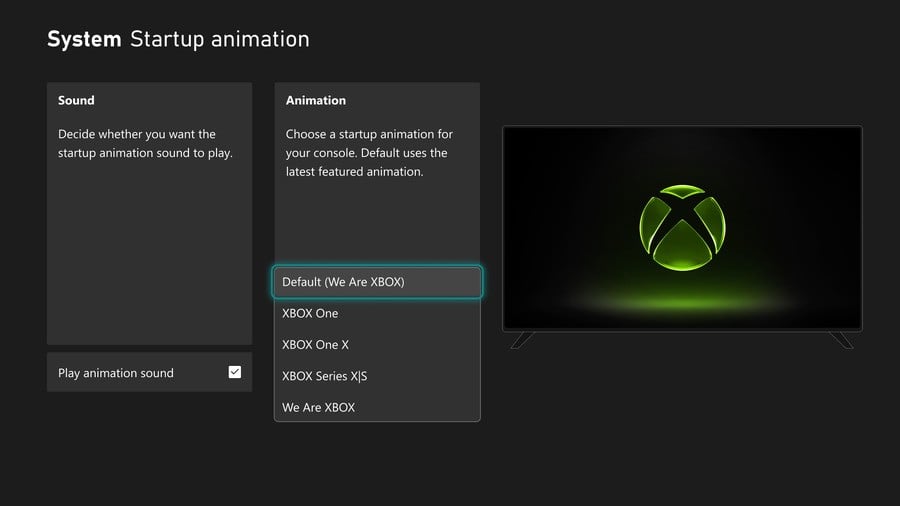
One of the most anticipated additions is the ability for players to personalize their console’s startup animation. Historically, Xbox consoles have featured a fixed boot sequence, with minor variations across generations. This new functionality allows users to select from a range of animations, including those reminiscent of past Xbox generations, such as the Xbox One era, or the latest Series X|S animations. This personalization option, accessible via Settings > System > Startup, also retains the choice to enable or disable sound during the animation.
Background and Implications: The desire for console personalization extends beyond mere aesthetics; it fosters a deeper sense of ownership and connection for players. In an era where digital identities are increasingly important, allowing users to tailor their console’s initial greeting taps into a strong community demand. This feature not only evokes nostalgia for long-time Xbox enthusiasts but also provides a fresh layer of customization for new users. It aligns with broader industry trends where platforms strive to offer unique, user-centric experiences, recognizing that a personalized environment enhances user engagement and loyalty. From a strategic perspective, offering diverse startup animations can subtly reinforce brand identity while celebrating Xbox’s rich history, turning a routine power-on into a moment of personal expression.
2. Enhanced Personalization for Player Badges
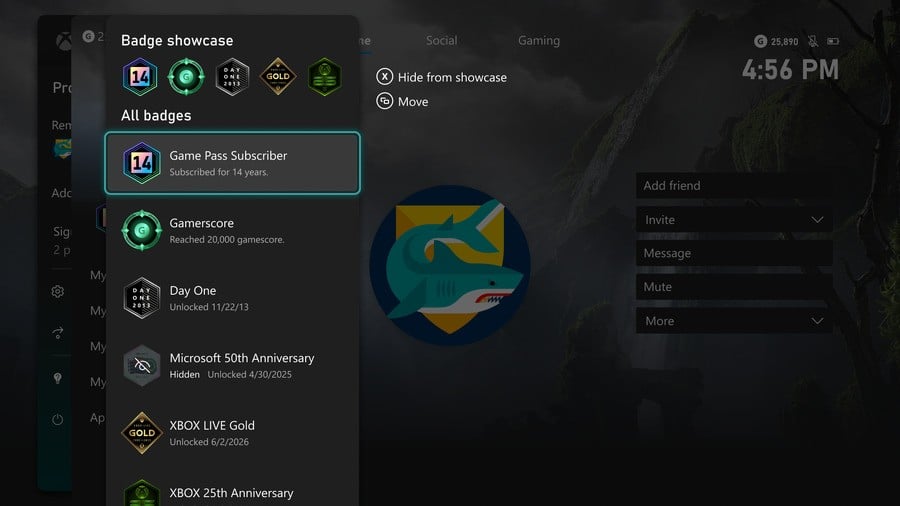
Following up on previous updates that provided more insight into earned badges, Xbox Insiders are now gaining greater control over how these achievements are displayed on their public profiles. Players can now feature up to five chosen badges in their profile card showcase and, critically, hide individual badges from public view.
Background and Implications: Badges, trophies, and achievements are integral to the modern gaming experience, serving as digital accolades that recognize player skill, dedication, and progression. However, not all achievements hold the same personal significance, and some players may prefer to curate their public persona more carefully. This granular control over badge visibility addresses a common user request for more privacy and selective showcasing. By allowing players to highlight their most cherished accomplishments and hide others, Xbox is empowering users to better manage their digital identity within the gaming community. This refinement contributes to a more positive social experience, enabling players to present themselves authentically and strategically, whether they’re a competitive gamer wanting to display their toughest feats or a casual player preferring to keep certain milestones private. This move reflects a broader industry understanding that user privacy and control over personal data, even within gaming profiles, are increasingly valued.
3. Streamlined Content Discoverability with Local Search
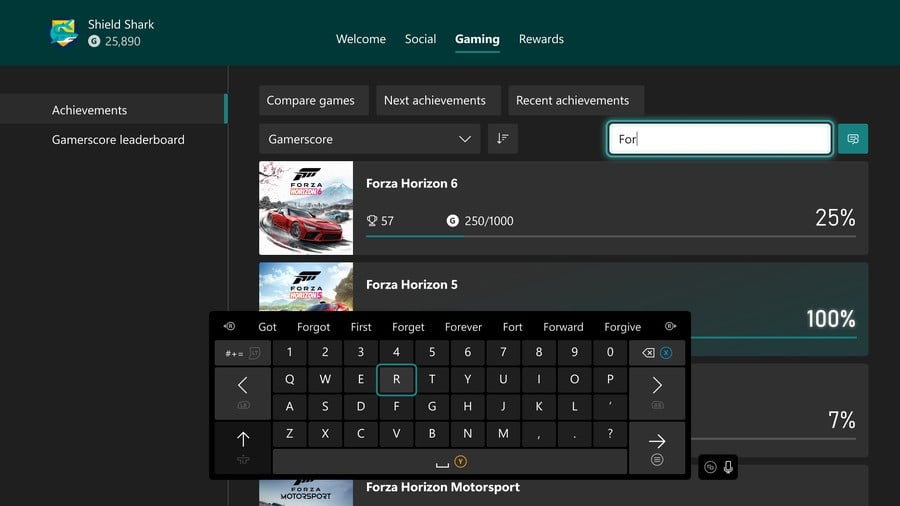
Navigating extensive libraries of games and achievements can often be time-consuming, especially for players with large digital collections. To mitigate this, Xbox is introducing a new local search feature designed to quickly locate specific games and achievements within various lists. This functionality is integrated into "My games & apps," official club achievement lists, and personal profile achievement history.
Background and Implications: As digital game libraries grow, efficient content management becomes paramount. Players often struggle to find specific titles or track particular achievements amidst hundreds of entries. The introduction of local search directly addresses this friction point, significantly improving the user experience. By working in conjunction with existing filters and sorting options, this feature transforms the way players interact with their content, making it faster and more intuitive to access what they need. For Microsoft, this is an important step in enhancing the overall usability of the Xbox dashboard. A smoother, more responsive interface reduces frustration and keeps players engaged, making it easier for them to jump into games they own or track their progress without unnecessary delays. This improvement is particularly beneficial for Xbox Game Pass subscribers who often manage hundreds of titles.
4. Smoother Remote Play and Streaming Options
Xbox Remote Play, a feature that allows players to stream games from their Xbox console to various devices such as PCs, phones, and TVs, is receiving a substantial upgrade. Alpha Skip-Ahead and Alpha Insiders on Xbox Series X|S consoles can now preview higher-quality Remote Play streaming, with support for up to 1440p resolution and increased video bitrates. This aims to deliver sharper visuals and smoother gameplay on compatible devices.
Background and Implications: Remote Play has become an increasingly popular way for gamers to enjoy their console libraries with greater flexibility, unconstrained by the main living room screen. The enhancement to 1440p resolution and improved bitrates is a significant leap forward in quality, bringing the remote experience closer to native console gameplay. This update is critical in a gaming landscape where cloud gaming and multi-device play are gaining traction. By improving the fidelity of Remote Play, Xbox strengthens its offering against competitors and enhances the value proposition of owning an Xbox Series X|S. Crucially, Remote Play remains a free benefit for all Xbox players, requiring no additional subscription, making these quality improvements accessible to a wide audience. Microsoft’s focus on refining streaming quality underscores its commitment to the future of gaming, where seamless play across various screens and locations is expected. The ability to automatically select the highest resolution and bitrate based on network conditions further optimizes the user experience, adapting to diverse home network environments. This positions Xbox well in the competitive remote and cloud gaming market, particularly as Game Pass Ultimate continues to expand its cloud streaming capabilities.
5. Simultaneous Game Downloads and Cloud Streaming
Addressing a common pain point for gamers with large game libraries and extensive digital downloads, Xbox Insiders can now continue game downloads in the background while simultaneously streaming another game via the cloud. This feature, which has been in testing since June for installing/updating games while streaming, now extends to general downloads, provided network conditions allow. Xbox Series X|S players are expected to see the most significant performance gains. This setting can be managed under Settings > Cloud gaming > Streaming preferences.
Background and Implications: In an era of ever-growing game file sizes and frequent updates, the ability to minimize downtime is highly valued. Previously, initiating a download often meant pausing or delaying other gaming activities. This new feature elegantly solves that dilemma, allowing players to maintain uninterrupted gameplay through cloud streaming while their console simultaneously handles necessary downloads. This improvement is a testament to Xbox’s focus on user convenience and efficiency. It significantly reduces "wait times" and enhances the overall flow of the gaming experience, particularly for Game Pass subscribers who frequently try new titles. For Microsoft, this innovation makes the Xbox ecosystem more appealing by removing friction points associated with digital content management. It leverages the strengths of both local storage (for downloads) and cloud infrastructure (for streaming) to create a more fluid and continuous gaming journey, optimizing network usage and console multitasking capabilities.
6. Enhanced Voice Chat Options with Voice Clarity
Effective communication is paramount in multiplayer gaming, and Xbox is introducing "Voice Clarity" to enhance the audio experience during voice chats. Available to Xbox Series X|S Insiders, Voice Clarity is designed to reduce everyday background noise, ensuring clearer communication between players, friends, and teammates. This feature will be enabled by default in party chat and most games released since 2020, with management options found under Settings > General > Volume & audio output > Additional options.
Background and Implications: Background noise is a persistent challenge in online voice communication, often leading to misunderstandings, frustration, and a less enjoyable social experience. Whether it’s ambient room noise, keyboard clicks, or other environmental sounds, these distractions can severely impact competitive play and casual conversations alike. Voice Clarity leverages advanced audio processing to intelligently filter out these extraneous sounds, focusing on the human voice. This enhancement significantly improves the quality of online interactions, making it easier for players to coordinate strategies in competitive titles or simply enjoy clearer conversations with friends. For Xbox, integrating such a feature by default in party chat and newer games demonstrates a proactive approach to improving the social fabric of its gaming community. It reflects an understanding of the diverse home environments players operate in and a commitment to providing high-quality, accessible communication tools. This is particularly important for the growth of multiplayer gaming and esports, where crystal-clear communication can be the difference between victory and defeat.
Broader Strategic Implications and Future Outlook

The rollout of these six features collectively underscores Xbox’s strategic vision for a more personalized, efficient, and interconnected gaming ecosystem. The emphasis on customization (startup animations, badges) speaks to a deeper understanding of player identity and engagement. Improvements in content discoverability (local search) and download management (simultaneous cloud streaming) address fundamental usability challenges, making the platform more accessible and less frustrating. Meanwhile, advancements in Remote Play and Voice Clarity directly enhance the performance and social aspects of gaming, catering to the increasing demand for flexible, high-quality, and interactive experiences.
These updates are not isolated improvements but rather interconnected components of a larger strategy. They reinforce the value proposition of the Xbox platform, particularly for Xbox Game Pass subscribers, by making the vast library of games more manageable and enjoyable across various devices. Microsoft’s continued investment in the Xbox Insider Program highlights its agile development philosophy, leveraging community feedback to refine and validate features before a wider release. This iterative approach allows Xbox to stay responsive to player needs and competitive within the rapidly evolving gaming industry. As these features gradually roll out to all Xbox users, they are expected to significantly elevate the overall Xbox experience, solidifying its position as a leading platform for personalized, high-performance gaming.