


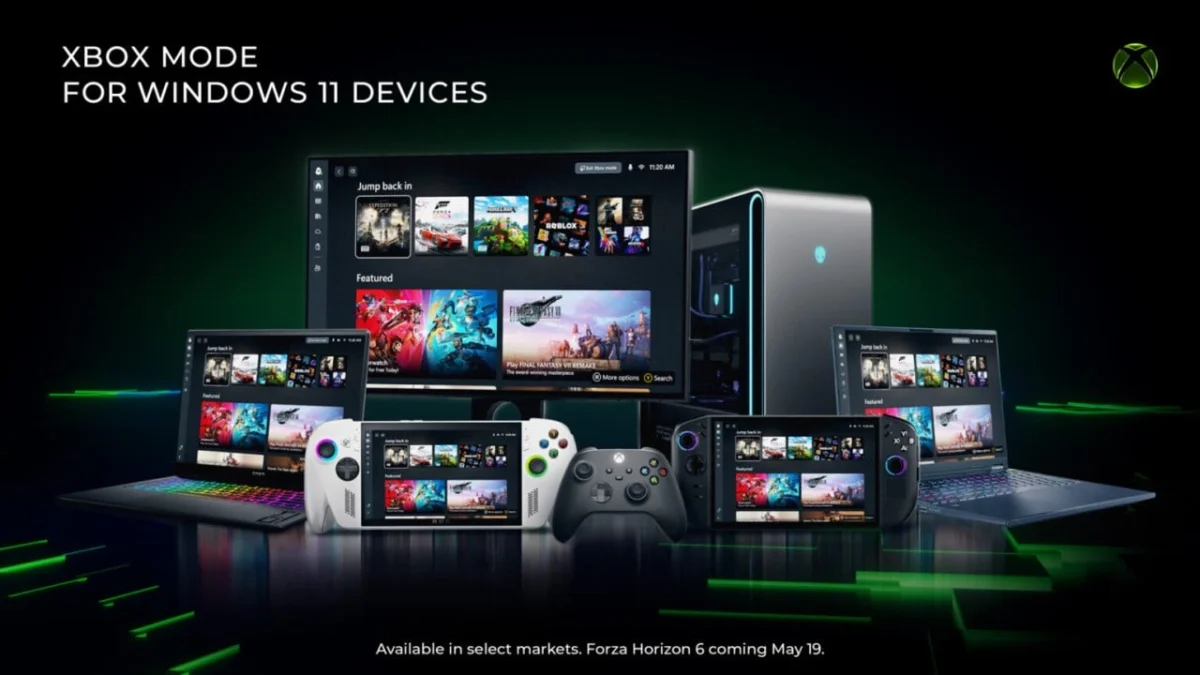
Microsoft has officially launched Xbox Mode for Windows 11 PCs, ushering in a "console-inspired experience" designed to streamline PC gaming for a wider audience. This new interface, which prioritizes a controller-optimized user experience, is currently rolling out in select markets, with a broader global deployment anticipated in the coming weeks. The move represents a significant step in Microsoft’s ongoing strategy to unify and enhance the gaming experience across its diverse hardware and software ecosystem.
Genesis and Evolution: From Handhelds to Desktop
The conceptual groundwork for Xbox Mode was laid in response to growing user feedback concerning the challenges of navigating the standard Windows operating system on compact, controller-centric gaming handhelds. When the ASUS ROG Ally, a prominent Windows-based gaming handheld, launched in late 2025, a primary criticism revolved around the clunky and resource-intensive nature of Windows 11 when operated with a gamepad. Users often reported that the desktop environment was ill-suited for a gaming-first device, consuming valuable system resources and hindering quick access to games, unlike the dedicated gaming interfaces found on competitors such as Valve’s Steam Deck with its SteamOS.
This critical feedback spurred Microsoft to develop a specialized "full screen experience," initially tailored specifically for Windows handhelds. This interface, now officially branded as Xbox Mode, aimed to address these shortcomings by offering a streamlined, controller-friendly environment. It was designed to minimize background distractions, free up system resources that would otherwise be consumed by desktop elements, and provide direct, intuitive access to a player’s game library. This initial iteration was first introduced to Windows Insiders in November 2025, allowing Microsoft to gather crucial data and refine the experience based on real-world usage scenarios.
The learnings gleaned from the handheld implementation have directly informed the design and functionality of the PC version of Xbox Mode. Microsoft’s development team closely monitored player feedback, iterating on the interface to ensure it could seamlessly transition from smaller screens to larger desktop monitors, while retaining its core promise of a console-like simplicity.
A Streamlined Interface for Controller-First Gaming
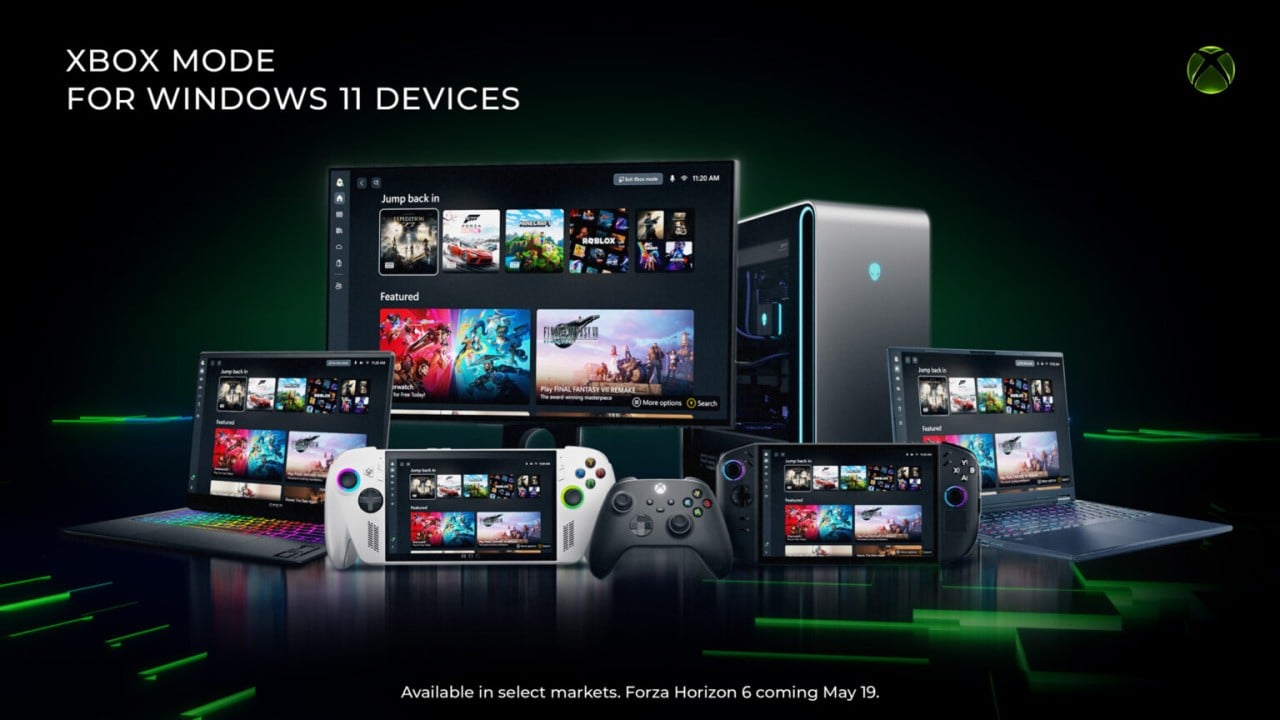
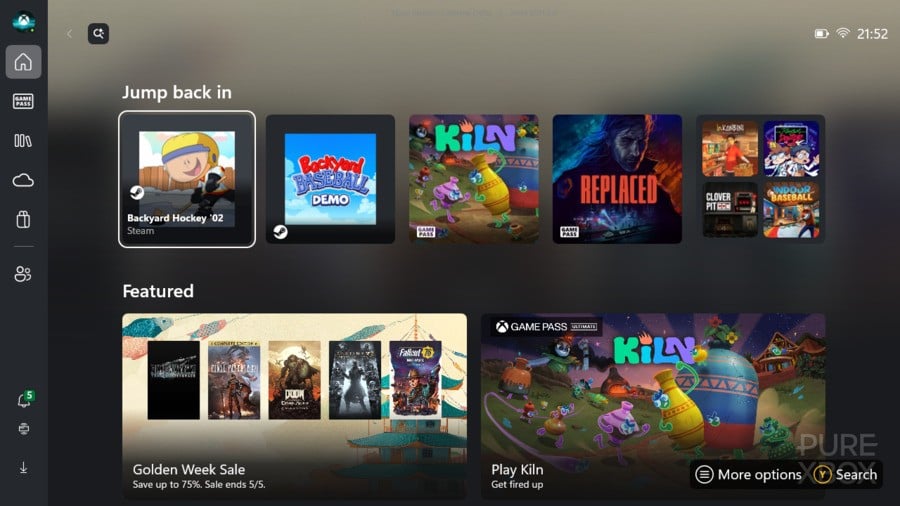
At its core, Xbox Mode on Windows 11 PCs offers a dedicated, full-screen gaming environment. This interface is specifically optimized for controller input, making it significantly easier for players to browse their game library, launch titles, and manage gaming-related settings without needing to resort to a mouse and keyboard. The design philosophy is heavily inspired by the Xbox console dashboard, providing a familiar and intuitive layout for those accustomed to console gaming.
Key features of Xbox Mode include:
- Controller-Optimized UI: The entire interface is navigable with a gamepad, eliminating the need to switch between input devices. This is particularly beneficial for players who primarily game from a couch or recliner setup.
- Direct Game Access: Players gain immediate access to their Xbox PC games, including titles available through PC Game Pass. The mode is designed to centralize a player’s library.
- Multi-Storefront Compatibility: While deeply integrated with the Xbox ecosystem, Xbox Mode also allows users to add and launch games from other digital storefronts, such as Steam, Epic Games Store, and GOG, providing a unified launchpad for their entire PC game collection. This open approach underscores Microsoft’s commitment to player choice within the PC gaming landscape.
- Minimized Distractions: By operating in a dedicated full-screen mode, Xbox Mode effectively minimizes background processes and visual clutter associated with the standard Windows desktop. This not only enhances immersion but can also potentially improve system performance by allocating more resources to the running game.
- Quick Access to Recent Titles: The interface prominently displays recently played games, allowing players to jump back into their favorites with minimal fuss.
A Microsoft spokesperson elaborated on the design philosophy, stating, "Xbox Mode is designed for the moments when you want your games to take center stage on Windows 11 PCs and handhelds. Inspired by the Xbox console experience, Xbox Mode offers a streamlined interface that puts your library and recently played titles within easy reach while minimizing background distractions. Since first introducing Xbox mode, formerly known as ‘full screen experience,’ on Windows handhelds, we’ve been listening closely to player feedback and continuing to evolve the experience across devices. Those learnings directly shaped Xbox mode on Windows 11 PCs."
Strategic Implications and Broader Ecosystem Goals
The introduction of Xbox Mode on Windows 11 PCs is more than just a convenience feature; it’s a strategic move by Microsoft that aligns with several broader objectives for its Xbox brand and the Windows platform.
Enhancing the PC Gaming Experience: The PC gaming market continues its robust growth, with analysts projecting global revenues to exceed $40 billion annually. However, PC gaming often presents a higher barrier to entry for newcomers compared to consoles, primarily due to the complexity of managing hardware, software, and diverse digital storefronts. Xbox Mode simplifies this experience, making PC gaming more accessible, particularly for those migrating from consoles or preferring a controller-based setup. This could attract a new segment of gamers to the Windows platform.
Strengthening the Xbox Ecosystem: Microsoft has been aggressively pursuing an "Xbox Everywhere" strategy, aiming to make Xbox gaming accessible across various devices, including consoles, PCs, cloud streaming, and mobile. Xbox Mode directly supports this by creating a consistent and familiar user interface across different form factors. This consistency helps to solidify brand loyalty and encourages users to remain within the Xbox ecosystem, especially with services like PC Game Pass. The seamless integration of Game Pass titles within Xbox Mode makes the subscription service even more appealing to PC users.
Competitive Landscape: This move also positions Microsoft more directly against Valve’s Steam Big Picture Mode, which has long offered a controller-friendly interface for Steam users. By providing an official, system-level console-like experience, Microsoft aims to offer a compelling alternative that integrates more deeply with Windows and its own gaming services. This could intensify competition in the PC gaming platform space, ultimately benefiting consumers through improved features and user experience.
Developer Considerations: For game developers, a standardized, controller-optimized interface can simplify the process of ensuring their games are accessible and enjoyable for controller users on PC. As the line between console and PC gaming continues to blur, such initiatives help to create a more unified development target.
"Xbox mode is another step in our broader work to make Xbox feel consistent across screens while giving you more choice in how and where you play," a Microsoft representative noted. "Windows has long been an important part of the PC gaming ecosystem, supporting innovation through its open platform. Together with Windows, Xbox is taking everything we’ve learned about building a world-class operating system for gaming and continuing to evolve the experiences that meet players where and how they choose to play." This statement underscores the dual goals of consistency and choice, positioning Xbox Mode as an optional, yet powerful, enhancement rather than a forced paradigm shift.
Availability and Access
The rollout of Xbox Mode is being conducted gradually, starting with select regions before expanding globally. This phased approach allows Microsoft to monitor performance, collect additional feedback, and address any unforeseen issues before a wider release. Users eager to experience Xbox Mode should ensure their Windows 11 PCs are up-to-date.
Once available in a user’s region, Xbox Mode will be accessible via Windows Update. After installation, the feature can be launched directly through the Xbox Game Bar, which is a pre-installed overlay on Windows 11 designed for gaming functionalities. Players can typically activate the Xbox Game Bar by simultaneously pressing the Windows key and the ‘G’ key on their keyboard. Within the Game Bar interface, an option to launch Xbox Mode will be present, allowing users to seamlessly transition into the console-inspired environment whenever they desire a more focused and controller-friendly gaming session.
The introduction of Xbox Mode marks a significant milestone in Microsoft’s commitment to evolving the PC gaming landscape. By bringing a refined, console-like experience to Windows 11, Microsoft aims to cater to the diverse preferences of PC gamers, particularly those who favor controllers and a streamlined interface, ultimately enriching the overall gaming journey on its flagship operating system. As the rollout continues, industry observers will be watching closely to see how this new feature shapes user behavior and further integrates the Xbox and Windows gaming ecosystems.