

Microsoft has commenced the rollout of a substantial new update for its Xbox Series X|S consoles, introducing a suite of user-centric features designed to elevate personalization, streamline navigation, and refine core gameplay functionalities. This update marks a notable pivot back to console-specific improvements after an extended period during which the company’s development efforts appeared predominantly focused on its PC gaming ecosystem and cloud-based initiatives. The new features are initially being deployed to members of the Xbox Insider program, paving the way for a gradual wider release to all Xbox users in the coming weeks and months.
The announcement, made on March 18, 2026, signals Microsoft’s continued commitment to enhancing the foundational user experience on its latest generation consoles. For many months leading up to this update, Xbox users observed a consistent stream of news and improvements centered on the broader Xbox ecosystem, particularly advancements in PC gaming integration, the expansion of Xbox Game Pass Ultimate’s cloud gaming capabilities, and various enhancements to the Xbox PC app. While these efforts undeniably contribute to Microsoft’s overarching strategy of reaching a wider audience across multiple platforms, they also fostered a growing anticipation among dedicated console users for platform-specific refinements. This new update directly addresses that demand, delivering improvements that directly impact how players interact with their Xbox Series X and Series S consoles daily.
The Strategic Context: Balancing Ecosystem Growth with Console Core
Microsoft’s strategy over the past few years has been characterized by an aggressive push towards an integrated gaming ecosystem, transcending the traditional console-centric model. Initiatives such as the pervasive expansion of Xbox Game Pass, which offers hundreds of titles across console, PC, and cloud, and the continuous development of Xbox Cloud Gaming (xCloud), underscore a vision where gaming is accessible on virtually any device. This broader strategic focus, while successful in attracting new subscribers and expanding market reach, occasionally led to perceptions among a segment of the core console audience that the dedicated console experience might be receiving less direct attention.
The current update, therefore, can be viewed as a strategic rebalancing. By focusing on fundamental dashboard refinements and quality-of-life improvements, Microsoft is reinforcing its commitment to the console as a primary gaming hub. This move is crucial for maintaining user satisfaction among its millions of Series X|S owners, many of whom value the dedicated console experience above all else. The phased rollout, beginning with the Xbox Insider program, also highlights Microsoft’s established methodology of leveraging community feedback for iterative development. The Insider program, comprising various rings from Alpha Skip-Ahead to Omega, allows enthusiastic users to test upcoming features and provide critical feedback, which directly influences the final product. This collaborative approach ensures that updates are not only technically sound but also genuinely address user needs and preferences.
Key Features Rolling Out to Xbox Series X|S
The March 2026 update for Xbox Insiders introduces several significant enhancements, each designed to improve distinct aspects of the console experience. These include expanded customization options for the Home screen, a deeper level of personalization through custom color settings, crucial user control over the Quick Resume feature, and improved visibility for player achievements.

Expanded Group Management on Xbox Home
One of the most frequently requested features by the Xbox community has been greater flexibility in organizing the console’s Home screen. Previously, users were limited to pinning only two custom groups to their Home page, a restriction that proved increasingly cumbersome for players with extensive game libraries or those who frequently switch between different genres or shared accounts.
Enhancement Details:
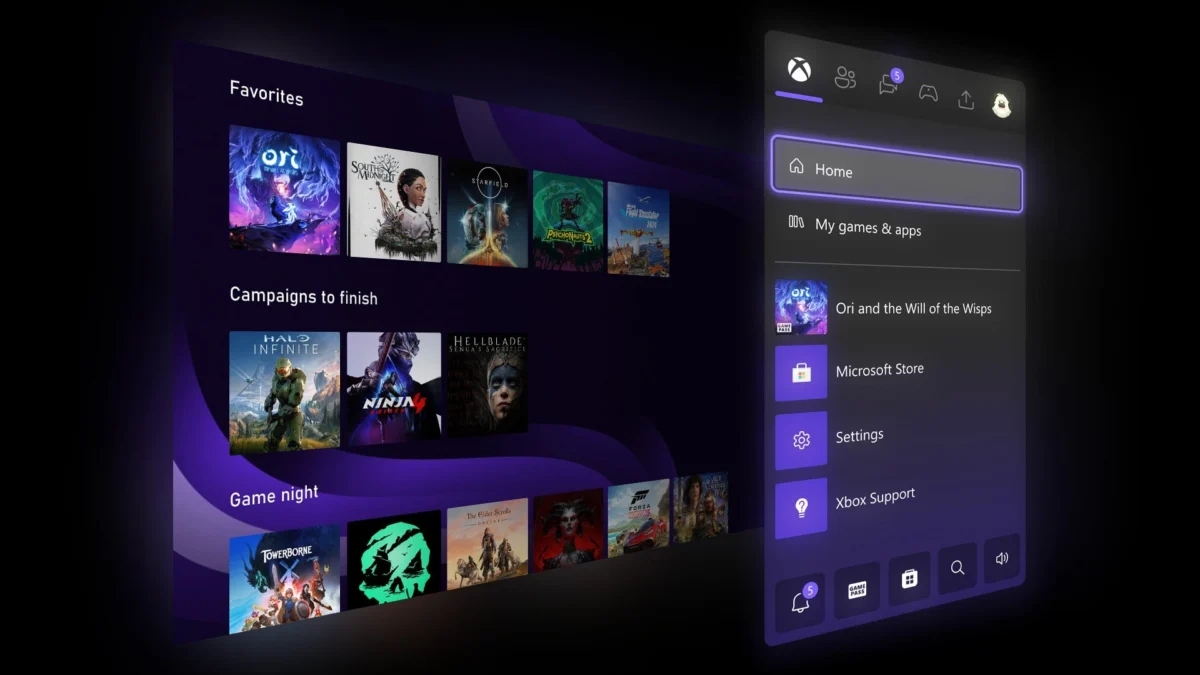
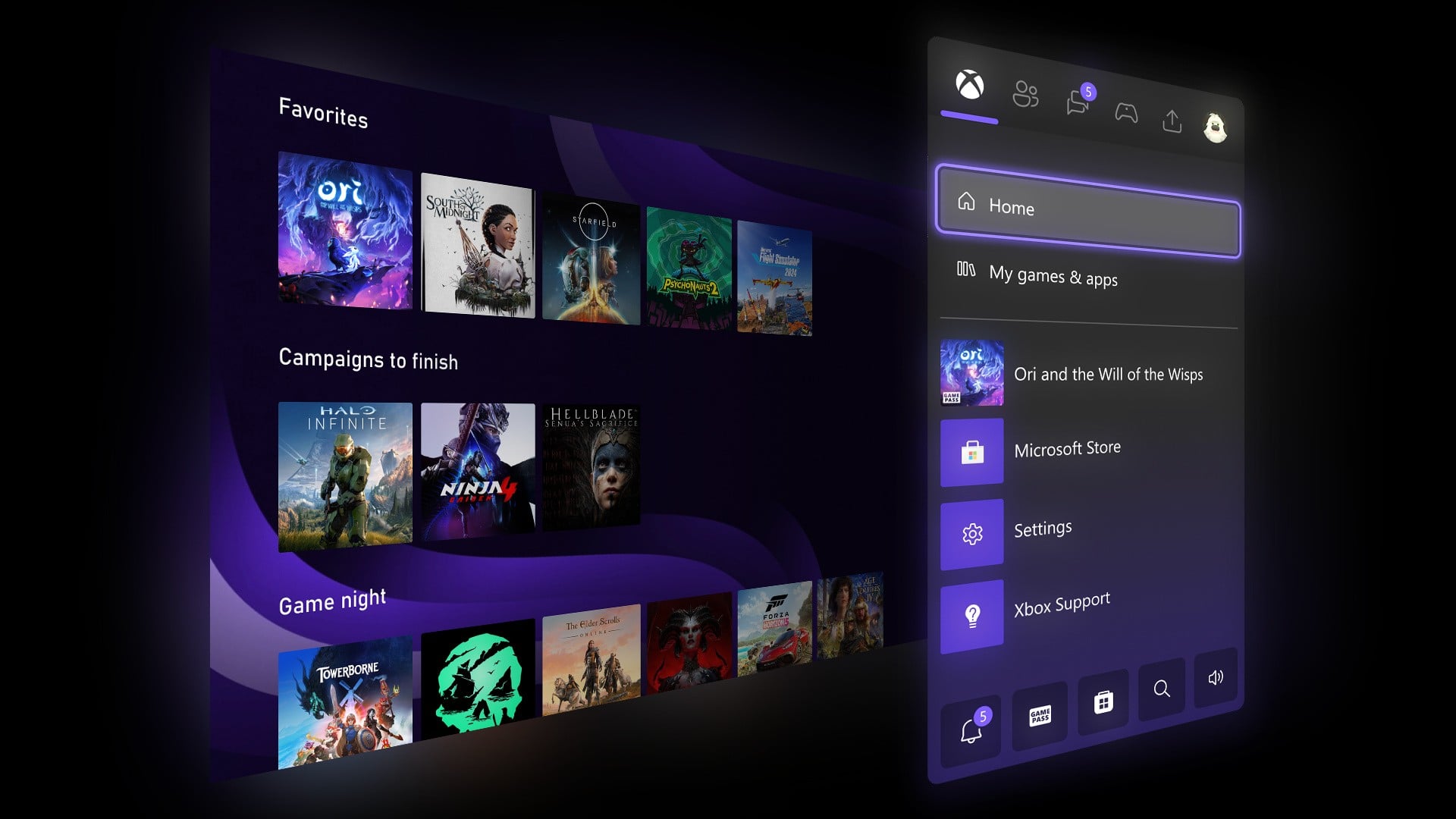
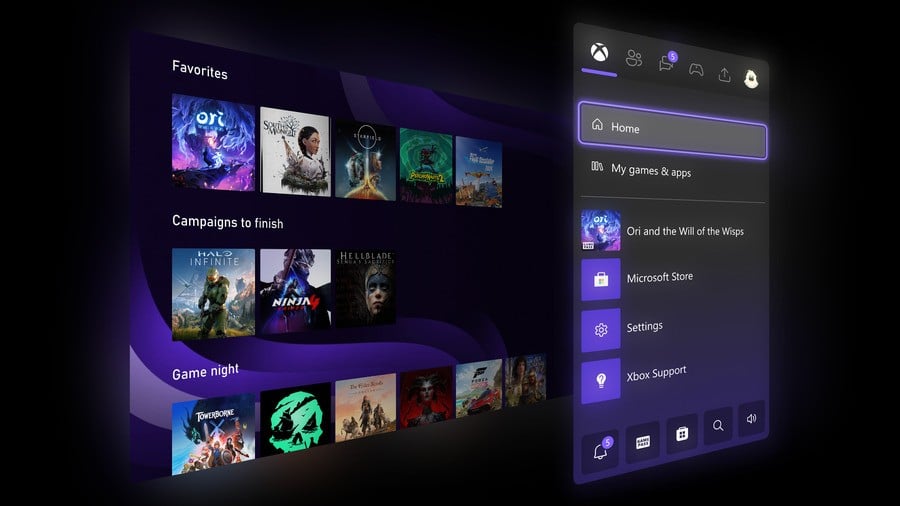
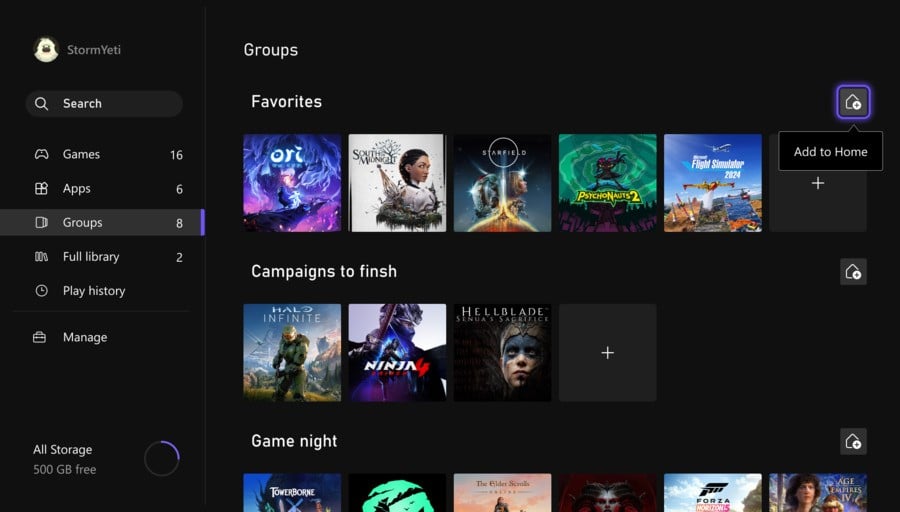
Microsoft has addressed this by significantly expanding the number of customizable groups a user can add to their Home page, increasing the limit from two to ten. This tenfold increase provides a substantial boost in organizational capacity. Furthermore, the update streamlines the management of these groups, making reordering them as intuitive as rearranging games on the Home screen. Pinning groups to the Home page from the "My Games & Apps" section has also been made more straightforward, with clearer indicators showing which groups are already active on the dashboard.
Implications for User Experience:
This enhancement is a direct response to persistent user feedback, recognizing that a personalized and efficient Home screen is paramount for a seamless gaming experience. For gamers who juggle a vast collection of titles from Xbox Game Pass, purchased games, and various applications, the ability to create more distinct categories—such as "Currently Playing," "Family Games," "Co-op Titles," "Indie Gems," or "Streaming Apps"—will drastically improve navigation and reduce the time spent searching for content. This increased organizational capability not only caters to the practical needs of players but also enhances the aesthetic appeal of their personalized dashboards, fostering a greater sense of control and ownership over their digital space. Microsoft representatives have emphasized that this expansion is a direct response to overwhelming community requests for greater dashboard flexibility, acknowledging that the previous limit often led to cluttered home screens for avid gamers.
Introducing Custom Colour Settings for Deeper Personalization
Personal expression and customization are increasingly vital aspects of modern technology, and gaming consoles are no exception. While Xbox has offered a selection of system colors for its interface, users have long expressed a desire for more granular control over their console’s visual theme.
Enhancement Details:
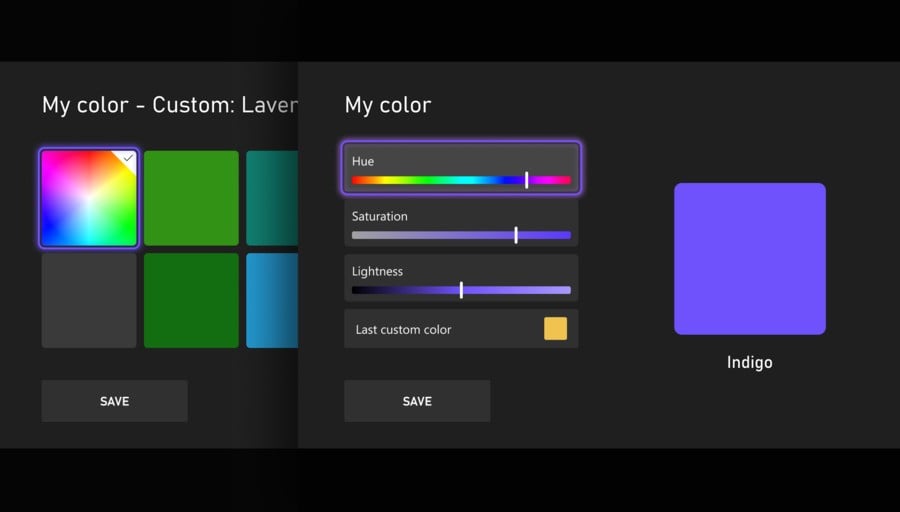
The new update introduces "custom colors," allowing users to move beyond predefined palettes and create a truly unique hue and shade for their console interface. This is achieved through intuitive sliders that enable precise adjustments to color properties. A subtle but impactful "splash" of the chosen custom color will also appear within the Xbox Guide, further integrating the personalized theme across the console’s core interface. Users retain the flexibility to toggle this Guide integration off at any time via the settings menu (Settings > General > Personalization > Customize the guide). To ensure visual consistency and accessibility, Microsoft has implemented "guardrails" for custom color creation, preventing choices that might compromise readability or overall UI integrity. The system also intelligently saves the user’s last custom selection, making it easy to revert to a favorite custom color if they temporarily switch back to a default system color.
Timeline and Impact:
Custom colors will initially be visible only to other Insiders during the testing phase, ensuring a controlled rollout and allowing for early feedback on the feature’s implementation and potential refinements. The broader public release for custom colors is slated to coincide with the "April update," indicating a relatively swift transition from Insider testing to general availability. An Xbox UI/UX designer, speaking on background, might highlight the importance of visual identity in user engagement, noting that custom colors allow players to truly make their console interface reflect their personality and preferences, a growing demand in the consumer electronics space. This feature not only enhances the aesthetic appeal but also contributes to a more engaging and personal connection between the user and their console.
Enhanced Control Over Quick Resume Functionality
Quick Resume stands as one of the hallmark features of the Xbox Series X|S, allowing players to instantly jump back into multiple games right where they left off, often within seconds. This innovation dramatically reduces friction in the gaming experience, eliminating lengthy load times and boot-up sequences. However, while universally praised for its convenience, community feedback and internal telemetry data revealed specific scenarios where Quick Resume could occasionally lead to unintended consequences, particularly for certain game types or after prolonged periods of inactivity. Issues such as desynchronization in online games, minor glitches, or even performance degradation were sometimes attributed to a game resuming from a suspended state rather than launching fresh.
Enhancement Details:
In response to this nuanced feedback, Microsoft has introduced the ability to disable Quick Resume on a per-game basis. This empowers users to decide which games benefit most from the feature and which might be better served by launching from a fresh state every time. The option to manage Quick Resume for a specific game can be accessed conveniently through the "More options" menu on a game tile, by selecting "Manage Quick Resume," or alternatively, by navigating to Manage game & add-on > Quick Resume Settings.
Implications for Gameplay and Stability:
This update represents a crucial refinement to a core console feature, demonstrating Microsoft’s commitment to addressing specific user pain points without compromising the overall utility of Quick Resume. For competitive multiplayer titles, games with persistent online worlds, or those known to be sensitive to suspended states, players can now proactively ensure a clean launch, potentially mitigating issues related to connectivity, game state integrity, or in-game performance. Anecdotal evidence from gaming forums and social media frequently highlighted instances where Quick Resume, despite its utility, interfered with the optimal performance of certain titles, particularly those requiring constant online synchronization or those prone to state corruption after prolonged suspension. This granular control gives players the power to optimize their experience on a game-by-game basis, a significant quality-of-life improvement that underscores a responsive development philosophy.
Increased Visibility for Xbox Guide Profile Badges
Achievements and milestones are a significant part of the gaming journey for many Xbox players, offering a tangible record of their accomplishments and dedication. Profile badges serve as visual representations of these notable moments, celebrating various aspects of a player’s Xbox history.
Enhancement Details:
The latest update improves the visibility of these badges within the Xbox Guide. Now, when a user accesses their own profile or views another player’s profile via the Guide, the five most recently unlocked badges will be prominently displayed.
Implications for Social Engagement and Recognition:
This change enhances the social dimension of the Xbox platform. By making recent achievements more visible, Microsoft aims to foster a greater sense of accomplishment and encourage social interaction around gaming milestones. Players can more easily showcase their latest feats, and friends can quickly see what new challenges others have overcome. This subtly encourages engagement with the achievement system and provides a quick snapshot of a player’s recent gaming activity and successes, enriching the overall social fabric of the Xbox community. This small but impactful change aligns with broader trends in social gaming, where recognition and sharing of accomplishments play a key role in user engagement and community building.
Broader Impact and Future Outlook
The March 2026 Xbox Series X|S update, while not introducing entirely new services, represents a significant investment in the foundational user experience of Microsoft’s current-generation consoles. The collective improvements—from expanded customization to refined core features—demonstrate a renewed focus on the console itself, complementing the company’s broader ecosystem strategy.
These updates reinforce the value of the Xbox Series X|S as a dedicated gaming platform, addressing long-standing community requests and enhancing user control. The ability to deeply personalize the dashboard, fine-tune the behavior of a critical feature like Quick Resume, and more easily showcase achievements collectively contribute to a more tailored, efficient, and engaging user experience. This iterative approach, heavily informed by the Xbox Insider program, suggests a development roadmap that prioritizes continuous improvement based on direct user feedback.
In the competitive landscape of console gaming, such quality-of-life updates are vital for maintaining user satisfaction and loyalty. While competitors like Sony’s PlayStation and Nintendo’s Switch offer their own distinct user interfaces and feature sets, Xbox’s commitment to responsive development and deep personalization ensures its platform remains compelling. Looking ahead, these updates may signal a trend towards even greater modularity and customization within the Xbox interface, allowing users unprecedented control over their gaming environment. The successful implementation and positive reception of these features among Insiders will undoubtedly shape future console development priorities, ensuring the Xbox Series X|S continues to evolve as a responsive and user-centric gaming destination.