

Microsoft has initiated a significant update to its Xbox PC ecosystem, introducing a feature that allows users to manually integrate external games and applications directly into the Xbox app interface. This development, currently rolling out in preview versions of the software, marks a pivotal step in the company’s broader strategy to unify the PC and console gaming experiences ahead of the anticipated launch of "Project Helix." The new functionality enables users to bypass the traditional Windows desktop environment, consolidating diverse software—ranging from third-party storefront titles to creative tools and system utilities—into a single, controller-friendly dashboard.
The Evolution of the Xbox PC Interface
The introduction of manual game additions is the latest in a series of iterative improvements designed to transform the Xbox app from a simple storefront into a comprehensive gaming hub. Historically, the Xbox app on Windows was restricted to titles purchased through the Microsoft Store or accessed via the Xbox Game Pass subscription service. However, the rise of handheld gaming PCs, such as the ASUS ROG Ally and the ROG Ally X, has necessitated a more flexible approach.
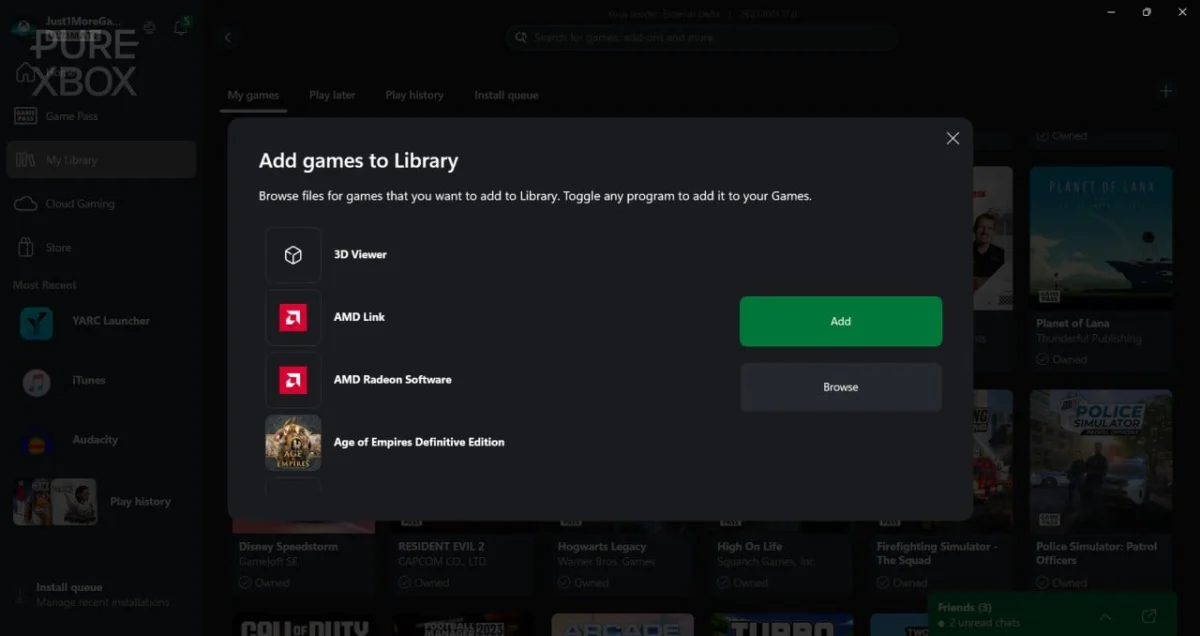
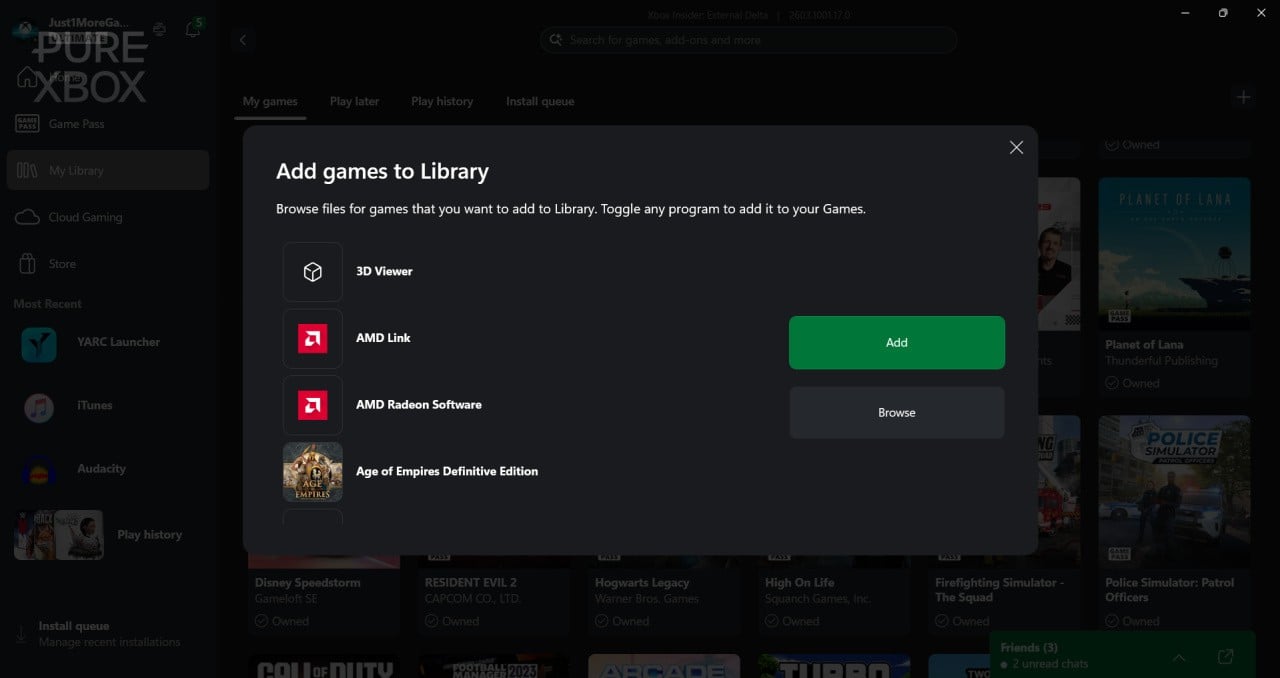
In late 2023 and throughout 2024, Microsoft began dismantling the "walled garden" approach by allowing the Xbox app to recognize and launch games from Steam, the Epic Games Store, and other major storefronts. This current update goes a step further by providing a manual "Add Games" utility. Located within the "My Library" section, a new "+" symbol opens a menu where users can browse their local directories for executable (.exe) or command (.cmd) files. This allows for the inclusion of obscure indie titles, retro emulators, and even non-gaming software like iTunes, Audacity, or Microsoft Office, effectively positioning the Xbox app as a secondary shell for Windows 11.
Technical Breakdown of the Manual Addition Feature
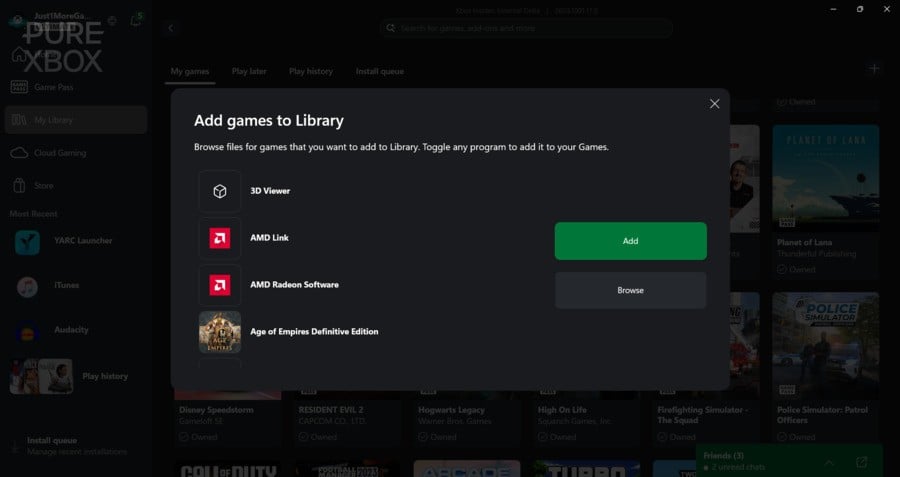
The manual integration tool provides a level of customization previously unavailable within the Xbox ecosystem. When a user selects the "Add Games to Library" option, the software presents a drop-down list of recommended applications detected on the system. For software not automatically identified, a "Browse" function allows for direct navigation of the file system.
Once an application is added, users have the authority to edit metadata, including the display name, the file pathway, and the associated artwork. This level of granular control is particularly beneficial for the modding community. For instance, testing has demonstrated that specialized launchers—such as "Sider" for eFootball PES 2021 or the YARC Launcher for Guitar Hero clones—can now be launched directly from the Xbox interface. Previously, these tools often required users to exit the Xbox "Full-Screen Experience" to navigate the Windows desktop, a process that could be cumbersome when using handheld devices or controllers.
Strategic Context: The Road to Project Helix
The timing of this update is closely linked to the industry-wide rumors regarding Project Helix. Analysts suggest that Project Helix represents Microsoft’s next generation of hardware—a hybrid device that functions as both a high-end console and a portable PC. Reports indicate that this hardware will utilize an "Xbox Mode" interface for Windows 11, designed to offer the seamlessness of a console UI while maintaining the underlying power and flexibility of a PC.
By refining the ability to add external apps now, Microsoft is effectively beta-testing the software environment that will likely power Project Helix. The goal is to minimize "interface friction," ensuring that users never feel forced to interact with the standard Windows taskbar or start menu unless they choose to. For a handheld device, where screen real estate is limited and mouse-and-keyboard input is often absent, the ability to launch a modded game or a media player through a unified, controller-optimized gallery is a critical quality-of-life improvement.
Chronology of Xbox Integration Milestones
To understand the significance of this move, it is necessary to examine the timeline of Microsoft’s PC gaming strategy over the last several years:
- 2019: The launch of Xbox Game Pass for PC and the initial rebranding of the Windows 10 Xbox app, shifting focus away from "SmartGlass" features toward a dedicated gaming storefront.
- 2021: The introduction of the "Xbox Game Bar" and improved integration with DirectX 12, aimed at reducing the performance overhead of background processes.
- 2023: Microsoft begins the public rollout of Steam and Epic Games Store integration, allowing the Xbox app to detect games installed via competing launchers.
- Late 2024: The release of the ROG Ally X prompts Microsoft to optimize the "Compact Mode" of the Xbox app, catering specifically to 7-inch and 8-inch handheld screens.
- Early 2025 (Current): The introduction of the manual "+" addition feature in preview, allowing for universal application support within the library.
Performance Data and Handheld Optimization
The transition toward a unified Xbox interface is not merely aesthetic; it carries significant performance implications. Standard Windows 11 carries a variety of background processes and "bloat" that can consume system resources, particularly RAM and CPU cycles. For handheld devices with limited thermal envelopes and battery capacities, every megabyte of memory saved is vital.
Preliminary data suggests that staying within the "Xbox Full-Screen Experience" rather than toggling back and forth between the desktop can lead to more stable frame times in certain scenarios. By allowing users to add their entire library—including legacy games and third-party tools—to the Xbox app, Microsoft is encouraging a "locked-in" environment where the system can prioritize gaming resources more effectively.
Furthermore, the manual addition of apps like "Audacity" or "Sider" suggests that Microsoft views the Xbox app as more than just a game launcher. It is becoming a workflow manager for gamers who also engage in content creation or software modification.
Industry Implications and Market Reaction
The move has been viewed by industry observers as a direct response to Valve’s SteamOS, which powers the Steam Deck. SteamOS provides a highly integrated, console-like experience that successfully hides the underlying Linux architecture from the user. Microsoft’s challenge has always been the inherent complexity of Windows, which is designed for general computing rather than dedicated gaming.
By introducing manual game additions and the rumored Project Helix "Xbox Mode," Microsoft is attempting to replicate the "instant-on, game-first" appeal of the Steam Deck while leveraging the massive existing library of Windows-compatible software. This strategy positions Microsoft to capture a segment of the market that demands both the simplicity of a console and the openness of a PC.
While Microsoft has not issued an official statement regarding the specific hardware specifications of Project Helix, the software updates speak volumes about their intentions. Third-party developers have noted that this move reduces the "barrier to entry" for indie titles that are not currently hosted on the Microsoft Store, as they can now be integrated into the primary Xbox UI by the users themselves.
Broader Impact on the Gaming Ecosystem
The ability to add any .exe to the Xbox library also has long-term implications for digital preservation and retro gaming. Many older titles or fan-made projects do not exist on modern digital storefronts. By allowing these files to be manually curated within the Xbox app, Microsoft is providing a centralized home for a user’s entire digital history, regardless of the software’s origin.
Moreover, the feature addresses a long-standing complaint among PC gamers regarding the fragmentation of digital libraries. With the average gamer now utilizing four or more launchers (Steam, Epic, EA Play, Ubisoft Connect, and GOG), the Xbox app is positioning itself as the "one launcher to rule them all."
Conclusion: A Unified Future
As the preview phase concludes and the manual addition feature rolls out to the general public, the focus will inevitably shift to how this software interacts with future hardware. If Project Helix indeed functions as the bridge between the traditional Xbox console and the high-performance PC, the ability to manually manage a diverse library of apps will be its cornerstone.
Microsoft is no longer just competing on the basis of exclusive titles; it is competing on the basis of ecosystem utility. By allowing users to bring their own games—from any source—into the Xbox fold, the company is acknowledging that the future of gaming is defined by choice and flexibility. Whether for a power user modding eFootball on a desktop or a casual player launching a Guitar Hero clone on a handheld, the Xbox app is evolving into a versatile tool designed to meet the demands of a modern, multi-platform audience. The path toward Project Helix is becoming clearer, and it is paved with the integration of the entire Windows software catalog.